 Persona Help Center
Overview
Tags are used to organize and classify Persona objects (such as Accounts and Inquiries) based on specific characteristics or conditions. For example, they can inform decision logic in workflows, designate objects that require additional review, and make it easier to filter and analyze data across the dashboard. Tags are customizable and can be tailored to your business needs.
Why are Tags important?
Tags serve several critical functions related to risk management and business logic:
- Automated Reviews: Create business logic to handle auto approval, reviews, and declines based on tagged conditions.
- Example: Automatically tag an Inquiry as TOR DETECTED if the user is using a tor browser to obfuscate inferred device location.
- Risk Management: Tag objects with high-risk observations that require additional manual review. This allows for consistent, scalable tagging based on your business logic.
- Example: Add a WATCHLIST MATCH tag when a Report returns a PEP or sanctions hit, ensuring the Case is escalated for enhanced review.
- Workflow Automation: Use tags with Conditional steps to trigger different workflow paths. Or use the Tag Object step to organize and classify objects. See more under Automation.
- Filtering: Easily filter and search objects based on specific tags.
- Example: Use tags to filter Inquiries by the tag REPEAT ATTEMPT to quickly identify accounts showing repeated verification failures.
- Analytics: Generate reports and insights by analyzing tagged data patterns.
- Example: Analyze all Inquiries tagged FRAUD SIGNAL to understand patterns in submission behavior and inform future risk logic.
- Cross-Product Visibility: Track related tags across different Persona objects.
- Example: When an Inquiry is tagged with MISMATCHED DOCUMENT, automatically copy that tag to the Case so reviewers have full visibility across the workflow.
What objects can be tagged?
Tags can be applied to various Persona objects, including:
- Accounts
- Cases
- Inquiries
- Reports
- Transactions
- Verifications
How can I add tags?
Tags can be applied automatically, manually, or via API:
Automated tagging (recommended)
Automation is the most reliable way to apply tags at scale. Workflows can evaluate conditions and apply tags in accordance with your rules, ensuring consistency.
Common workflow steps used for tagging:
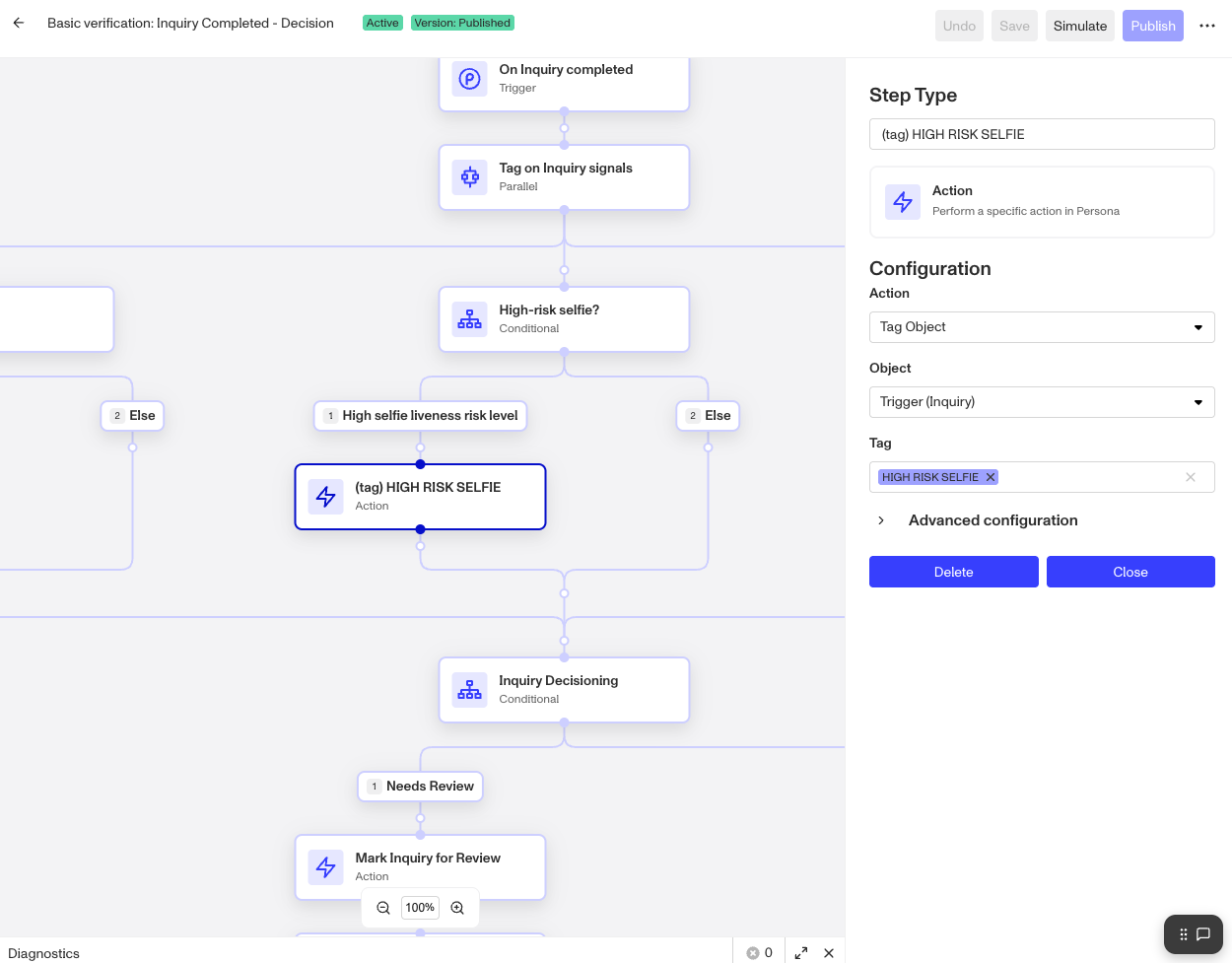
- Tag Object step - Directly adds one or more tags to the object.
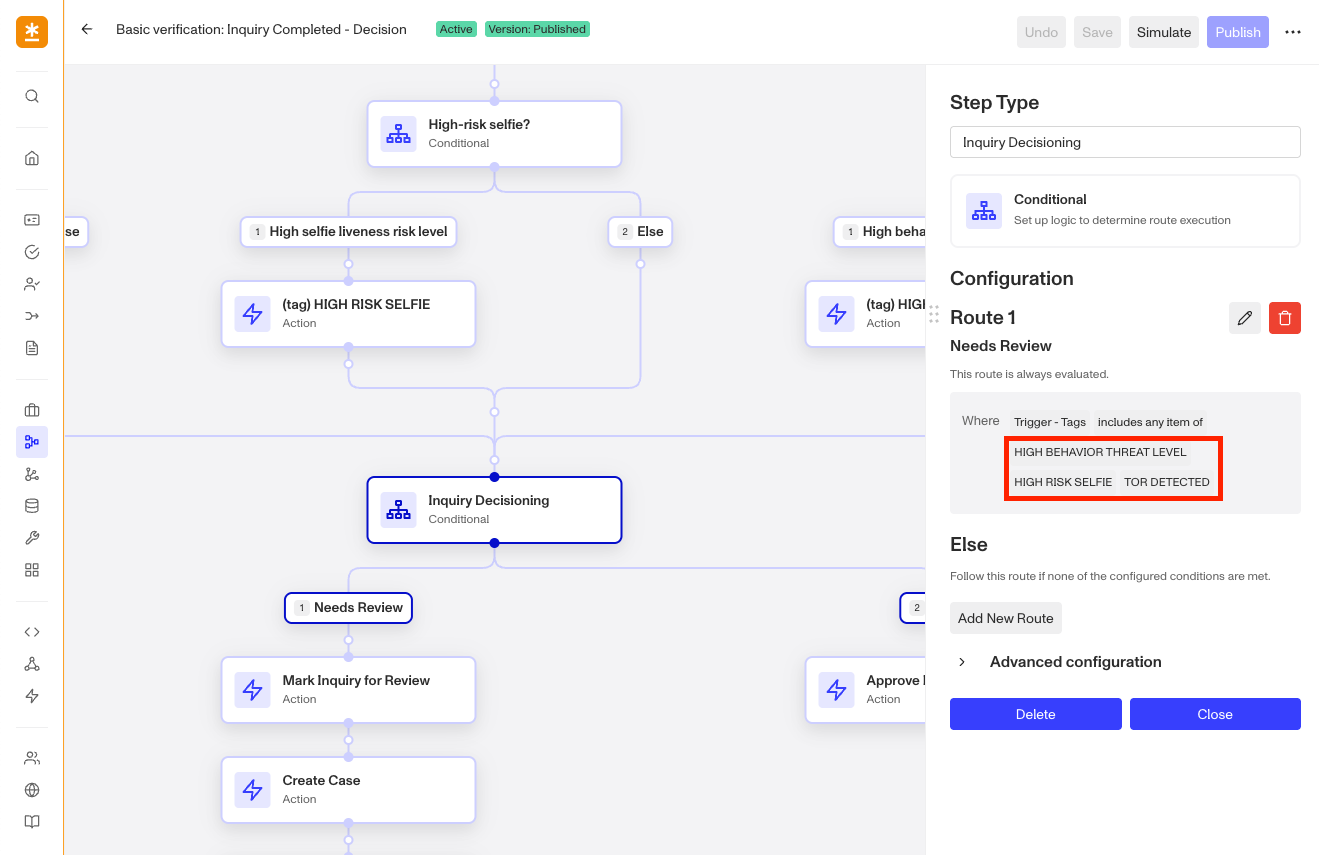
- Conditional Steps - Uses business logic to evaluate conditions, and applies tags when criteria are met.
Manual tagging
You can apply tags directly when reviewing Cases, Inquiries, or individual objects. This is useful for adding reviewer insights, marking edge cases, and capturing context that isn’t automated yet.
API tagging
Tags can also be managed programmatically using the Persona API. These operations let engineering teams apply consistent tagging via automated processes or system integrations.
Supported operations:
- Add: Creates and applies a tag if it doesn’t exist; no change if already applied.
- Remove: Removes a tag if it is present; no change otherwise.
- Set: Replaces the object’s entire tag list with the list you provide.
API tagging is supported for Accounts, Cases, Inquiries, Reports, and Transactions.
Tagging best practices
- Be consistent: Use standardized naming, descriptions, and colors so team members can quickly search tags and understand what a tag represents. See below for our recommended tag naming convention.
- Tag fixed attributes: Create tags that reflect attributes unlikely to change, such as age range (”Under 21”), geographic ineligibility (”Non-eligible geo”), or watchlist matches (”Watchlist match”).
- Use Tags to inform actions: Apply tags that highlight risk signals, shape logic, or generate meaningful audit trails. If a tag doesn’t help someone take action or understand a condition, it probably isn’t needed.
- Don’t use Tags as unique identifiers: Tags should not be used as record-specific identifiers. We recommend populating the identifier as the reference ID of the object.
- Streamline tags where possible: Organizations have a limit of 1,000 active tags, so adopting a clean naming strategy and avoiding duplicate and near-duplicate tags is important for scale and performance.
Recommended tag naming conventions
We suggest using the following structured pattern to make tags readable and predictable:
[Object or Context] - [Event] - [Observation]
- Object/Context - The Persona object or domain involved (Report, Inquiry, Case)
- Event - What occurred (hit, failed, matched, repeat)
- Observation - What was found (PEP, Repeat attempt, list match)
This structure answers: What happened? To what? Why does it matter? While you may not need all three fields for every tag, it's still helpful to think through this structure to ensure the tag is as clear as possible.
Examples
| Tag | Why it works |
|---|---|
REPORT – HIT - PEP |
A Report returned a PEP hit. The object, event, and observation are obvious at a glance. |
FAILED REPEAT CHECK |
Indicates a repeated failed attempt; no ambiguity about the condition being tagged. |
LIST MATCH - IP ADDRESS |
Makes the signal searchable by both the type of match and the source artifact. |
TOR DETECTED |
Sometimes an observation is the whole story. Short, punchy tags are fine when they’re unambiguous. |
Using Tags across products
Tags are not tied to a specific object type. A Case tag and an Inquiry tag are the same tag, they just appear on different objects.
When a tag should be visible on multiple objects, use the Copy Tags step to maintain consistency. For example, you may want to tag a failed inquiry with information about which verification checks failed, and then create a case with the same tag for manual review.
When a tag is intended to be used only on one type of object, use the naming convention above to make that clear.