
About Graph
Graph is Persona’s link analysis tool for fraud investigation. It surfaces connections between Accounts based on shared properties. A connection between Accounts is a signal that they might share an owner, even when nothing else about them looks alike. Graph helps you find, investigate, and take action against coordinated fraud that is invisible when you review each Account on its own.
Within Persona, businesses typically use a single Account to represent a unique user, making Accounts the system of record for all of their interactions (e.g., Verifications, Inquiries, Cases, Reports) and the metadata associated with them.
Why link analysis matters
Most fraud is organized. When a bad actor creates dozens or hundreds of Accounts, those Accounts tend to share attributes: a similar email address, the same device, the same location. In isolation, each Account can look legitimate enough to pass an individual review. Together, they form a recognizable pattern.
Link analysis is the technique of finding those patterns. Graph organizes Accounts by what they share, so a single query can surface a cluster of Accounts that all trace back to the same source.
What Graph analyzes
When a cluster of Accounts shares the same data, that can be a strong signal of fraud in your network. Commonly investigated attributes in Graph include:
- User information: names, birthdates, phone numbers, email addresses, and identification numbers that are user-inputted or extracted from documents or government IDs.
- Metadata: browser fingerprints, device fingerprints, and IP addresses from Inquiries associated with Accounts.
- First Party Data: additional custom attributes about users in your network added to Accounts from your system that may be specific to your business or use case, perhaps through Imports.
- Third Party Data: additional attributes about users in your network added to Accounts from data enrichment tools, perhaps through Marketplace integrations.
The attributes Graph can query, and the format each one matches on, are described in the Graph Query reference.
How organizations use Graph
- Stay ahead of threats with proactive detection: Graph-powered Workflows run when an Account is created or updated. They compare the new Account against the Accounts already in Graph and flag matches in real time.
- React quickly when fraud appears: In Graph Explorer, you can query an Account you are investigating, inspect the Accounts it connects to, and understand the chain of connections that links them.
Investigate with Graph Explorer
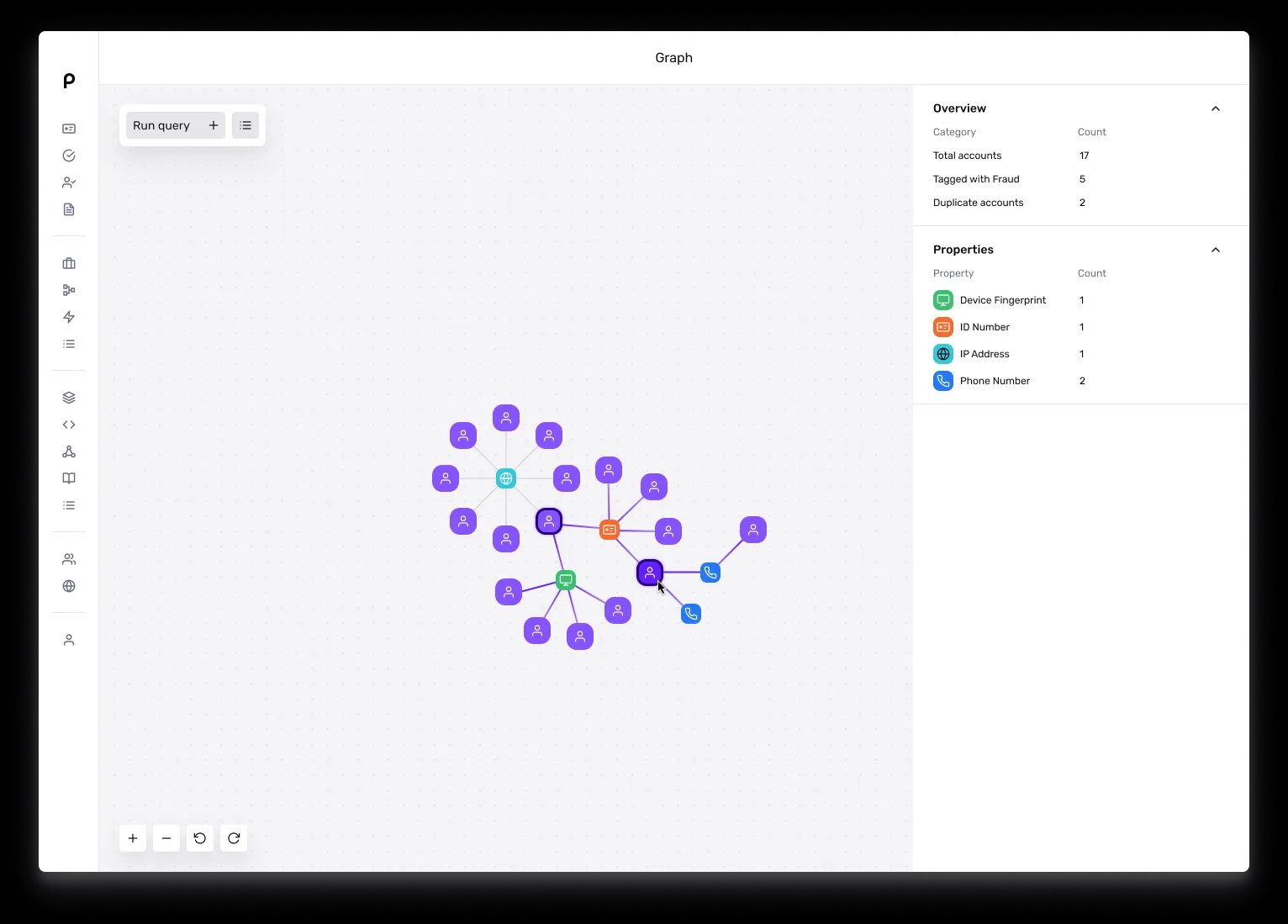
Graph Explorer is the visual interface where you run queries and explore results. You choose the properties to match on, and Graph draws the Accounts and connections that match.
Save and automate queries
When you find a query that works, save it as a Graph Query Template. Templates let you run the same query again with different values. To learn more, see Creating and reusing Graph Query Templates.
You can also run queries automatically inside Workflows using the Run Graph Query action step, so that every new Account is checked against Graph without manual investigation.
Take action with Cases and Workflows
Graph surfaces Accounts that may be coordinated fraud. The actions you take on them happen in other Persona products:
- Cases: Add a Graph module to your Cases to bring the connections related to an Account into the manual review workflow. For a full description of the module, see the Accounts: Graph module reference.
- Workflows: React to query results programmatically. For example, Sync Graph can keep an Account current before a query, and a Workflow can create a Case or take another action when a query finds a match.
Where to go next
This article is the first of a short series on Graph. Read Getting started with Graph next: it covers the account statuses to set up before you query, and the queries worth running first. From there, the two articles that follow it cover the two ways teams work with Graph day to day, conducting reactive fraud investigations in Graph Explorer, and detecting fraud proactively from a Workflow.