Overview
Workflows enable builders to automate business logic that adapts to each user or verification in real time. For example, you might want to have different business behavior based on fields, such as running different checks depending on a user’s age, segment, or country. Persona supports this by allowing you to access relevant data and displaying descriptions and data types. This makes it easier to find and reference the right information within your workflow.
Accessing attributes
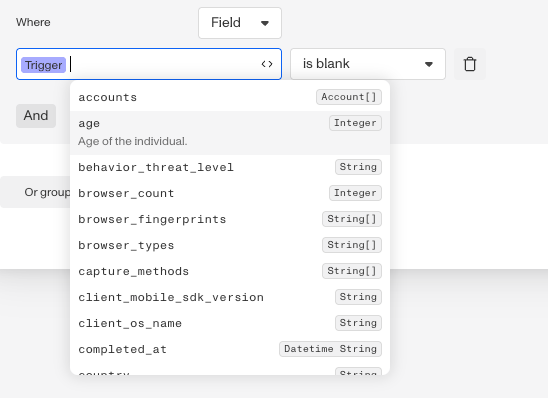
An attribute (or field) represents a single data point within an object, such as inquiry.age or inquiry.country. You can access attributes of different Persona objects by first selecting the object, then selecting the attribute. Note that the object that triggered the workflow is referenced by Trigger (i.e. for an Inquiry Completed workflow, the attributes of the inquiry are available under Trigger). System fields are available directly after selecting the object, whereas custom fields are available under Object > Fields.
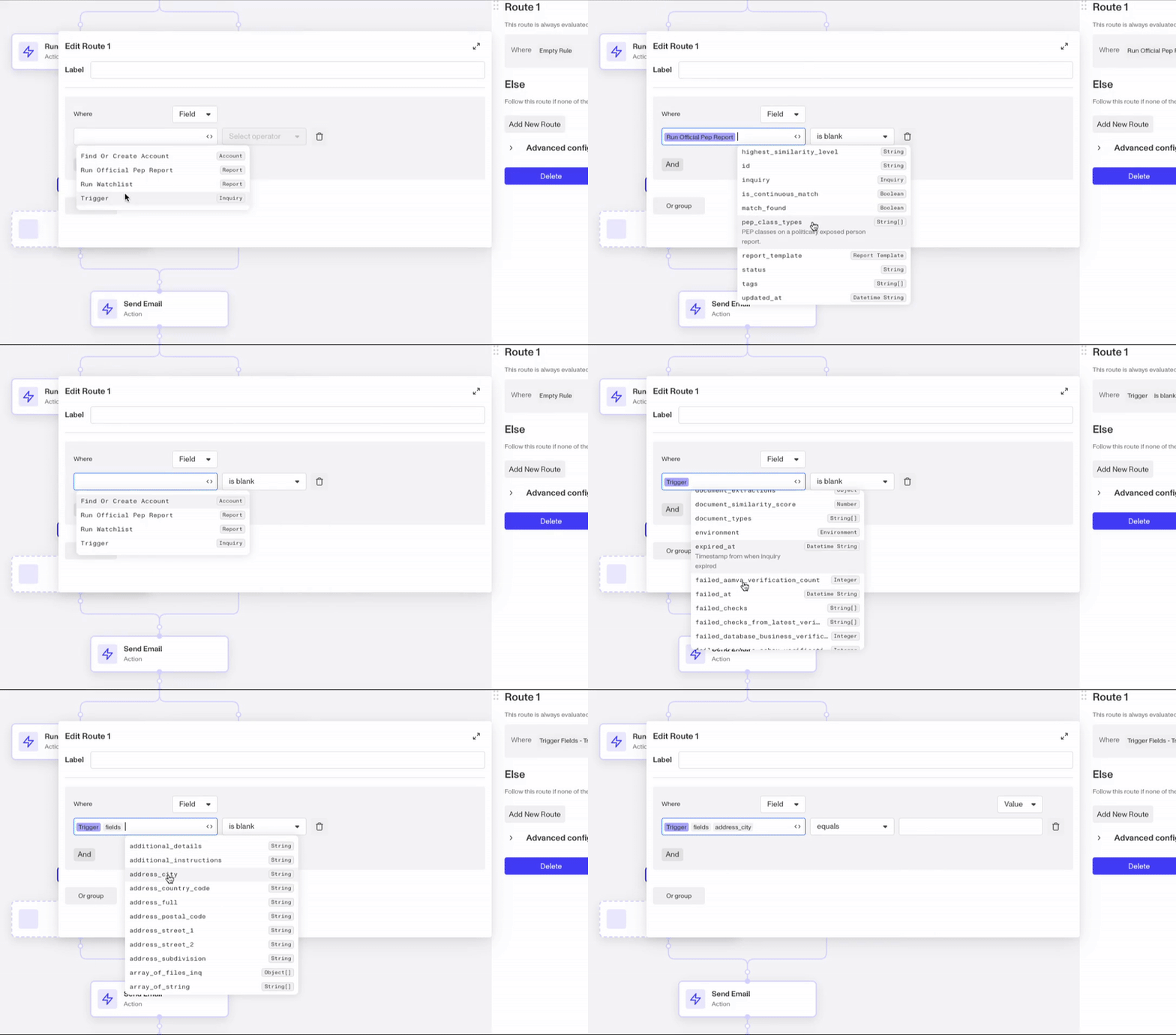
While it’s most common to use attributes of Persona objects, it’s also possible in some steps to reference a hash in it’s entirety (i.e., in Update Object step).
Using functions
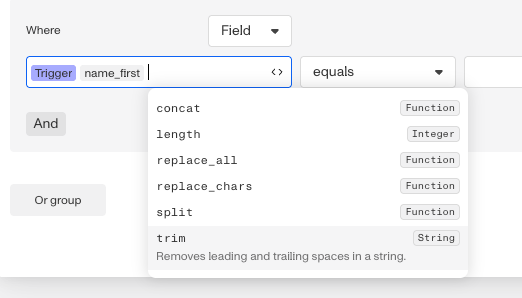
In addition to accessing Persona data, you can also run basic functions. Available functions appear in drop-downs, based on what data type you’ve just entered. For instance, if you’ve entered inquiry.name_first, the functions that are available for strings will appear, since inquiry.name_first is a string.
The full list of functions can be found below, with examples of how these functions can help drive more powerful and efficient workflows in the section following.
| Name | Input | Output | Description |
|---|---|---|---|
string.length | String | Integer | Returns the character count of a string |
string.trim | String | String | Removes leading and trailing spaces in a string |
string.split | String | Array of String | Divides string by a specified delimiter and puts each fragment into a separate item in an array |
string.replace_all(string to replace, string to replace with) | String | String | Replaces all instances of a specified string with a different string |
string.replace_chars(characters to replace, string to replace with) | String | String | Replaces all instances of each character in a set with a different string |
array.first | Array | Item | Returns the first item of an array |
array.last | Array | Item | Returns the last item of an array |
array.count | Array | Integer | Counts the number of items in an array |
array.page_size | Array | Array | Sets the number of results returned per page. Works in conjunction with page_size. Default is 100 |
array.page_number | Array | Array | Sets the page number to return. Works in conjunction with page_size. Default is 1 |
array.includes(item) | Array | Boolean | Returns whether a specified item is inside the array (note this is case sensitive) |
array.filter | Array | Array | Narrows array to the items that match the filter criteria. For performance reasons, only select indexed fields per object are supported for this function |
array.sort | Array | Array | Orders the array by the given field, in either ascending or descending order. For performance reasons, only select indexed fields per object are supported for this function |
array.collect_from_each | Array | Array | Allows you to collect a target array of objects that are related to another array of source objects. Limits must be applied on both objects |
data_type.convert_to() | String Number Date | ↔ Number ↔ Boolean ↔ Datetime ↔ Date ↔ Boolean ↔ Datetime | Allows you to convert between specified data types. Data is converted for workflow run but underlying field schema is not impacted |
Examples
Find below examples where using functions on top of Persona data can help reduce step count and natively support the logic you need.
-
A builder wants to condition separate paths for first time customers versus customers that have previously contacted support/ been reviewed. In this case, the
.countfunction (account.cases.count) can be used in the conditional step to create a route for >=1 cases.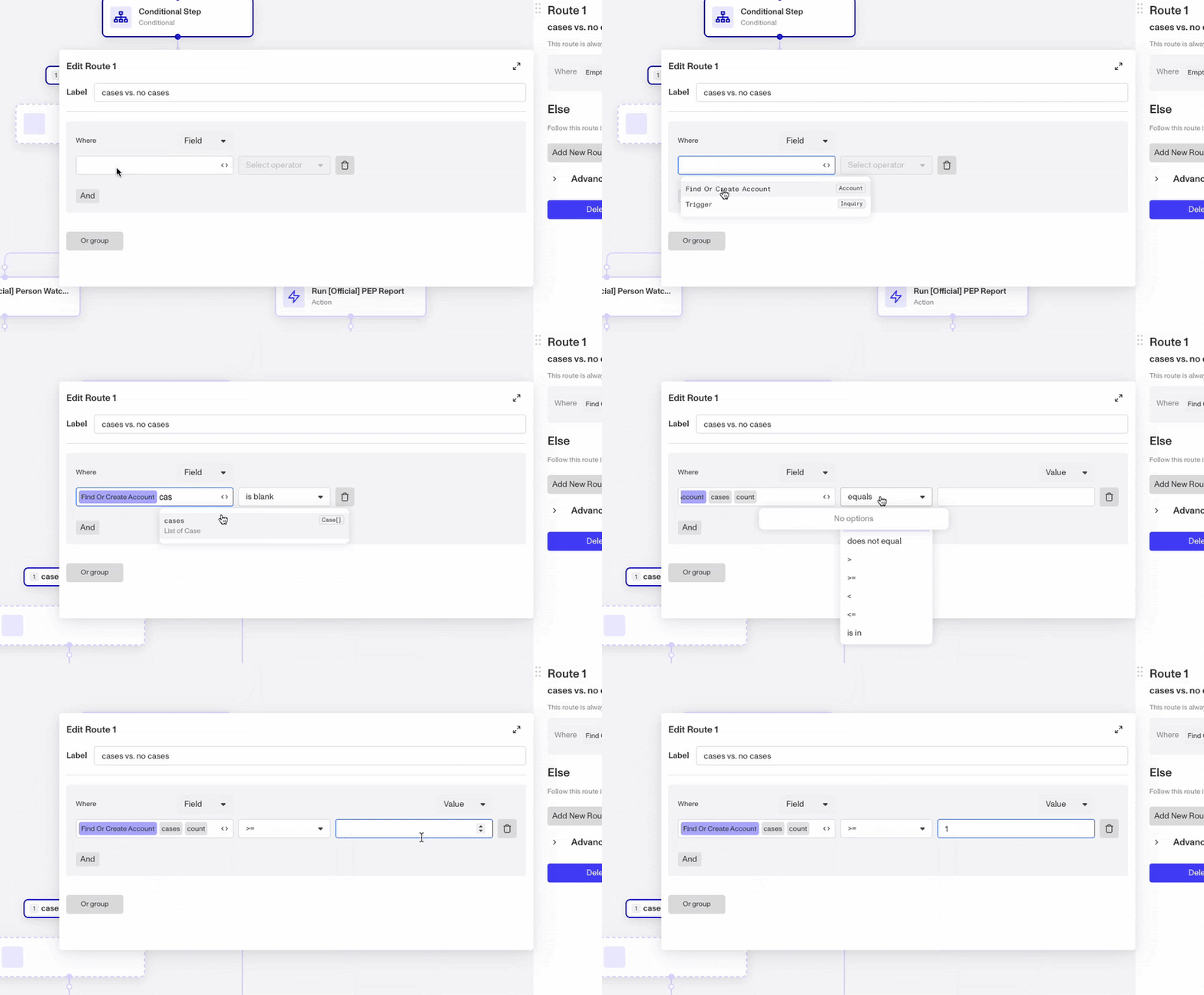
-
A builder wants to sanitize customer entered inputs (i.e., first name) before using them in a Send Email step in a module. Here, the builder can use
trigger.fields.first_name.trimwhen defining their module input, which means any workflow that calls this module will have the first name value trimmed for more professional and polished emails.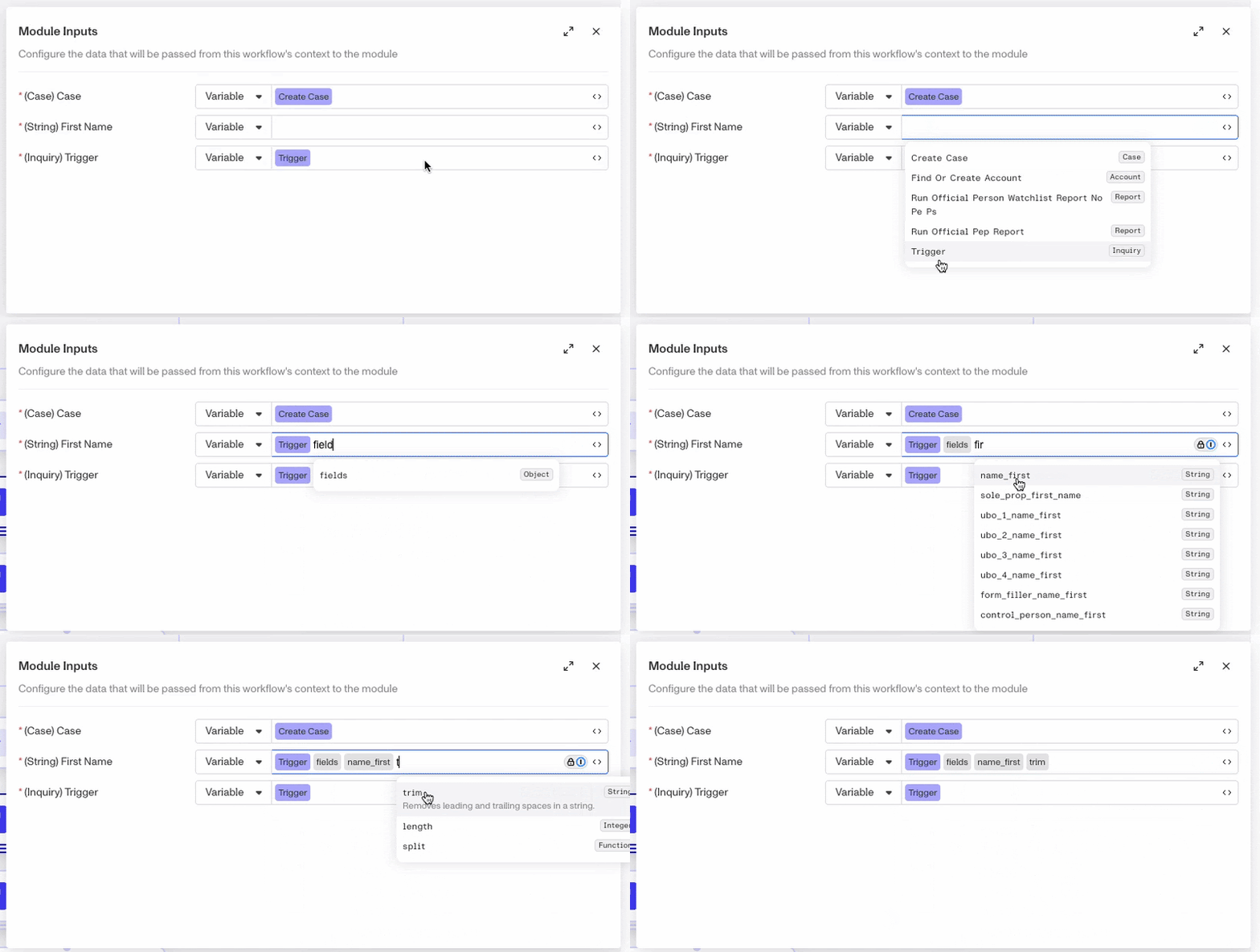
-
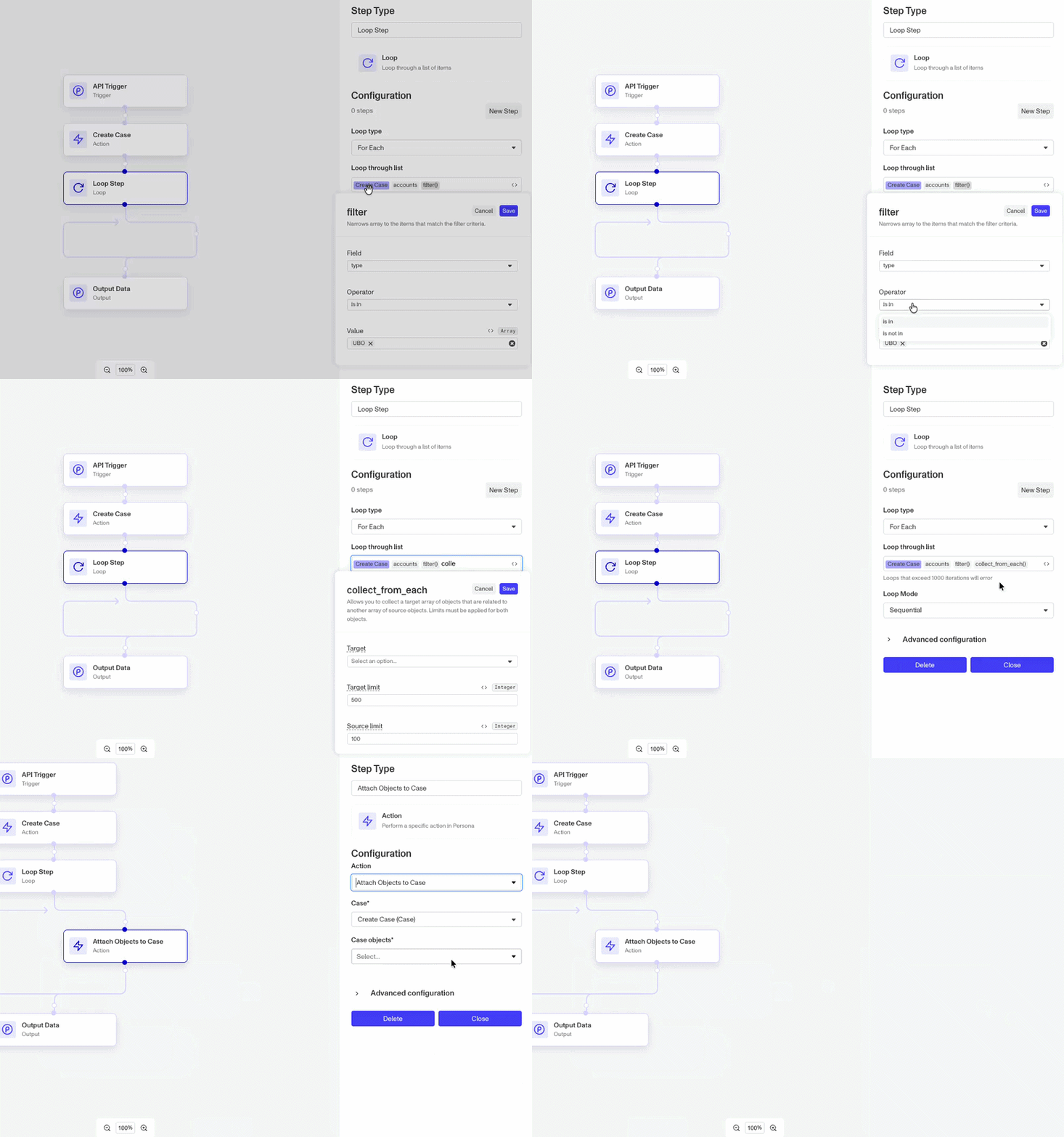
A KYB customer creates a case for every business they onboard. Each case has one business account and multiple UBO accounts. Since UBO accounts can have their own inquiries, the builder wants to attach all UBO inquiries to the business case. Here, the builder can use the filter and collect from each functions (trigger(case).accounts.filter(‘type’, ’=’, ‘ubo’).collect_from_each(‘inquiries’)) in a loop step to fetch and attach all UBO inquiries.