
Overview
From an Account, you can create a Case to review the individual or business associated with that Account. You can attach existing Inquiries and Reports to the Case and assign it to a reviewer. The new Case is linked to the Account.
How to create a Case from an Account
-
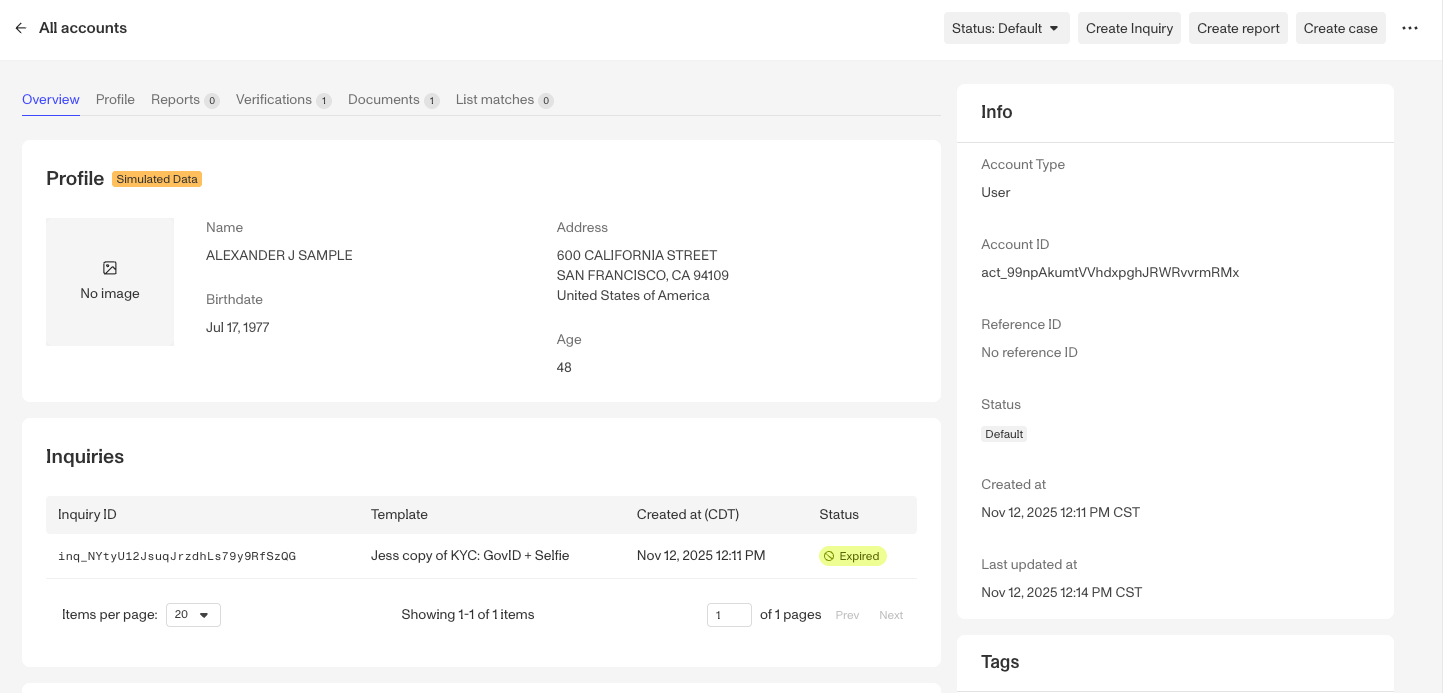
Navigate to the Dashboard, and click on All Accounts. Open the Account you want to create a Case for.
-
In the top right of the Account, click Create case.
-
In the Create a new case window:
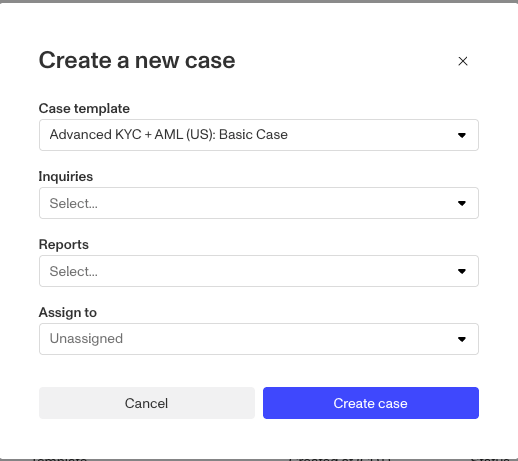
- Under Case template, select the template to use (for example, Advanced KYC + AML (US): Basic Case).
- (Optional) Under Inquiries, select one or more of the Account’s Inquiries to attach to the Case.
- (Optional) Under Reports, select one or more of the Account’s Reports to attach to the Case.
- (Optional) Under Assign to, choose a reviewer. This defaults to Unassigned, and you can select Assign to me.
-
Click Create case. The new Case is linked to the Account and appears under Cases on the Account.