
Overview
Within each Account Type, organizations can change how information is arranged and displayed on its Accounts. Since accounts are meant to be a source of truth for an entity’s identity data, Persona provides a drag-and-drop Layout Editor to build Account pages that reflect your business needs. This may be helpful in the following scenarios:
- Customize how account data is displayed per account type (e.g. surfacing the most frequently referenced information at the top of the page)
- Consolidate data from multiple sources in one place and organize data by its source
- Easily view and access related records
Configure your Account Layout
To modify your Account layout, use the Layout Editor to drag and drop modules into the desired location. Modules are prebuilt building blocks (e.g. Inquiries, Reports, Verifications) containing specific kinds of information that may be useful when performing business or user lookups. For an overview of the Layout Editor, see Account Layout Editor.
-
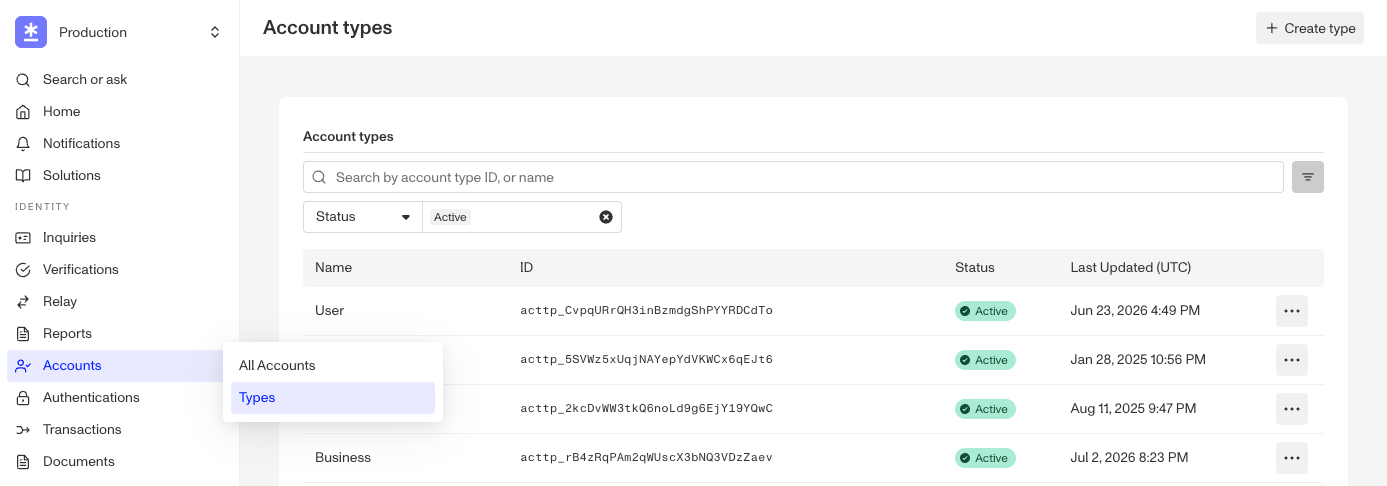
From the left navigation menu, select Accounts > Types to view your existing list of Account Types.
-
Click on an Account Type to open the Layout Editor. On this page, you’ll see the Account layout. Click an empty space in the layout to see the Module Library in the right panel. The Module Library lists the prebuilt modules you can add (see below for all available modules).
-
Drag and drop a module into the layout. Drag it to reposition it, or click on it and drag a corner to resize it.
-
Click on the module to configure it in the right panel. Under Module Layout, you can change its Dynamic height and Visibility.
-
Click Save at the top right. Your changes apply to every Account of that Account Type.
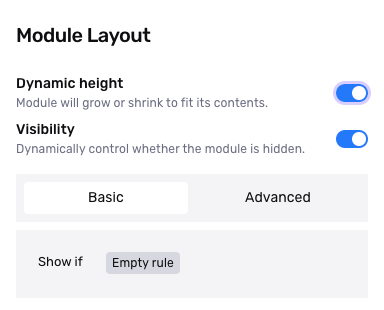
- Dynamic height: Module will grow or shrink to fit its contents.
- Visibility: Dynamically control whether the module is hidden. This lets you set conditions for when the module should be displayed or hidden from view based on your requirements. You can read more about Visibility Configuration here.
Layout Modules
The Module Library in the Account Layout Editor groups modules into the following categories. For each module’s description and whether it supports Module Actions, see Accounts: Layout Modules.
Build Your Own
| Module Name | Description |
|---|---|
| Data Display | A configurable block for showing selected data fields in a custom arrangement. |
| Data Table | A configurable table for showing selected data in a custom table. |
| Graph | Renders a link/relationship graph connecting this record to related entities. |
| Gallery | Displays a gallery of images, such as captured documents or selfies. |
Related Records
| Module Name | Description |
|---|---|
| Inquiry | Lists the Inquiries linked to the Account. |
| Verification | Lists the Verifications linked to the Account. |
| Report | Lists the Reports (e.g., a watchlist or adverse-media report) linked to the Account. |
| Transactions | Lists the Transactions linked to the Account. |
| Account | Lists the Accounts related to the Account. |
| Cases | Lists the Cases linked to the Account in a configurable table. |
| Related cases | A compact list of the Cases linked to the Account, with each Case’s status and assignee. |
| Relations | Lists the Accounts and Transactions linked through the relations set up on the Account Type. |
| Signals | Shows the Account’s Signals and Signals from its recent Inquiries, when Account Signals is enabled. |
| List matches | Shows watchlist, sanctions, and PEP list-match results. |
Account Management
| Module Name | Description |
|---|---|
| Info | Shows the Account’s core details at a glance. |
| Comments | Lets reviewers read and post internal notes on the Account. |
| Tags | Displays the Account’s tags and lets reviewers edit them. |
| Event timeline | Lists the events on the Account, newest first. |