
What is the Graph module?
The Graph module is a module that embeds a Graph view on an Account, so reviewers can see the Accounts connected to the one under review without leaving it. It surfaces Accounts that share properties with the one under review, such as a shared email address.
The Graph module is available on the Growth Plan and Enterprise Plan. On other plans you can still add it to a layout, but it shows Graph not enabled instead of results. To add Graph to your plan, please reach out to your Persona account team.
The Graph module is a contextual snapshot: it shows the direct connections returned by the Query Template you configure, scoped to the Account being viewed. Graph Explorer is the full investigation environment, and you can open a module’s snapshot there by clicking the Open in Graph Explorer icon to see the complete multi-hop graph. To learn more about Graph, see Graph overview and the Graph glossary.
How do you add a Graph module?
This module is added and arranged on the Layout page. For a general overview of how the Layout Editor works, see Accounts: Layout Editor.
- From the left navigation menu, select Accounts > Types.
- Find and click on the Account Type you want to edit, or click Create type to create a new one.
- In the Layout Editor, navigate to the Tab you want to add the module to. Click an empty space to view the Module Library.
- In the right toolbar, search for ‘Graph.’ The module is listed under Build Your Own.
- Drag and drop the Graph module into your layout and reposition it by dragging it around.
- Click on the Graph module to configure it:
- Under Settings, use Query templates to add one or more active Graph Query Templates. Drag the selected templates to reorder them, or remove one to take it off the module. Each template becomes an option in the dropdown at the top of the module on the Account page. A new Graph module has no templates.
- Under Module Layout:
- Dynamic height: Always off for the Graph module, because the graph has a fixed height.
- Visibility: Dynamically control whether the module is hidden. This lets you set conditions for when the module should be displayed or hidden from view based on your requirements. You can read more about Visibility Configuration here.
- Click the “Delete” button if you want to remove the module from the layout.
What reviewers see
On the Account page, the module is titled Graph Results. Use the dropdown at the top of the module to switch between the Query templates you added, and click the Open in Graph Explorer icon to open the results in Graph Explorer.
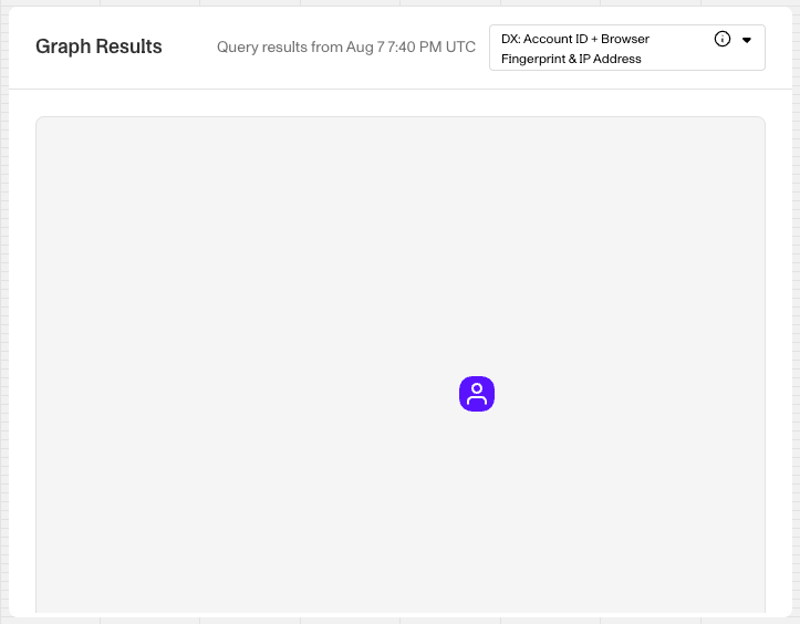
In the Layout Editor, the module shows “Graph results will appear here” instead of results. If no Query template has been added, the module shows “No Graph Query Template attached to the Card”.
Plans Explained
Accounts Graph module by plan
| Startup Program | Essential Plan | Growth Plan | Enterprise Plan | |
|---|---|---|---|---|
| Accounts Graph module | Not Available | Not Available | Available | Available |