
Overview
Modules are prebuilt building blocks that you can drag and drop into an Account layout. Each module contains a specific kind of information that may be useful to a user reviewing the Account. To add a module, open the Account Type from Accounts > Types, click an empty space in the layout, and drag the module from the Module Library. For an overview of the Layout Editor, see Account Layout Editor.
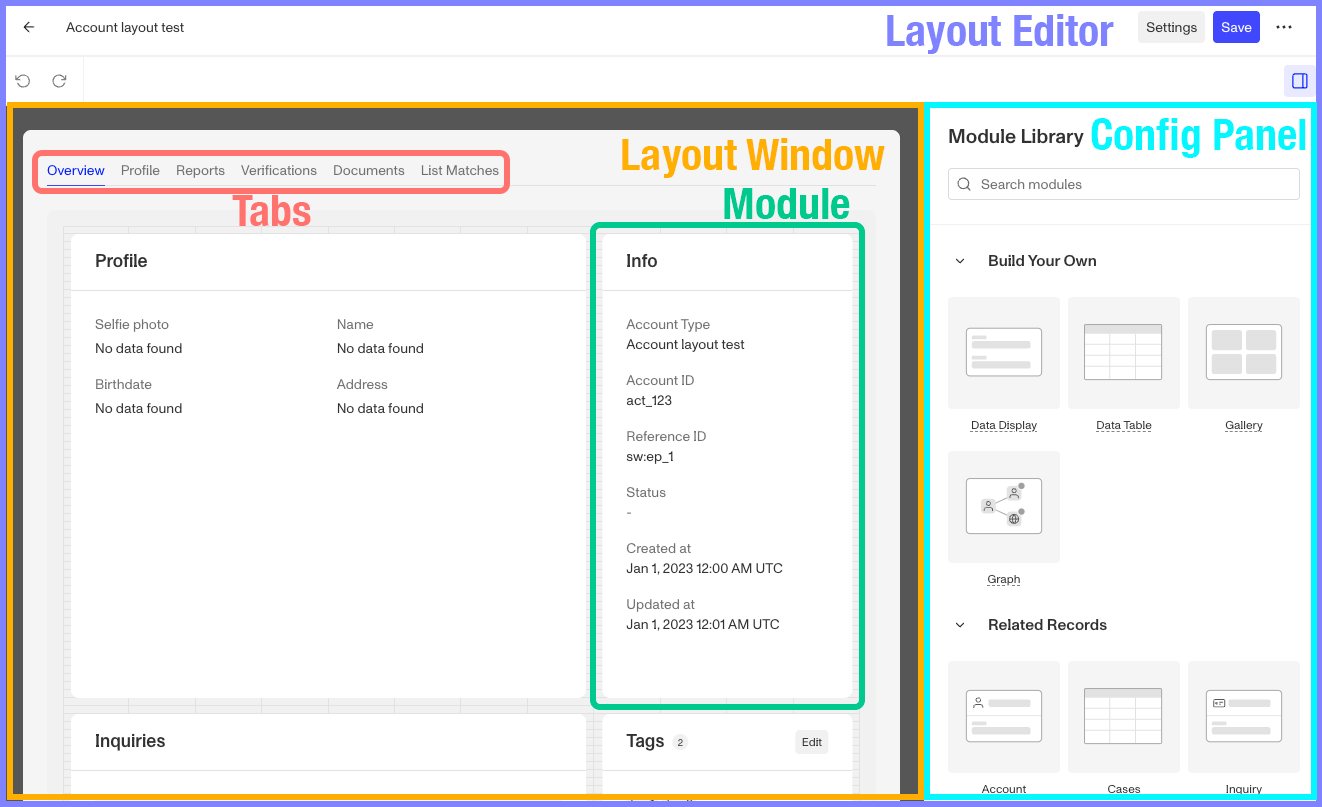
The Module Library groups modules into four categories: Build Your Own, Related Records, Account Management, and Components.
Module Visibility
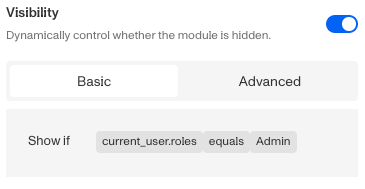
Some modules might contain information you only want to show in certain situations. Every module has a Visibility setting under Module Layout, which lets you set rules for when the module is shown, based on the Account’s data or the person viewing it. You can learn more about module visibility options here.
Module Actions
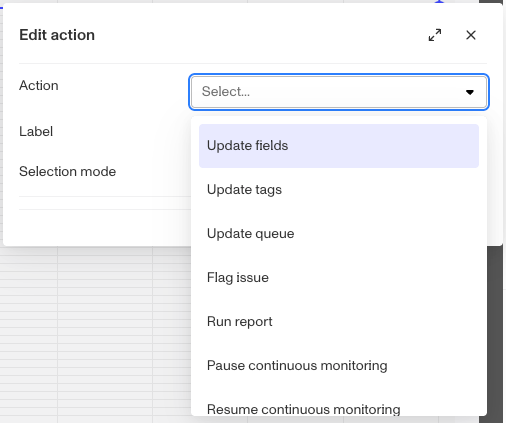
The Data Table module and the Resource modules (Inquiry, Verification, Report, Transactions, Account, and Cases) can run prebuilt system actions on the records in their rows. You can learn more about Module Actions here. To run one of your Account actions from the layout, use the Button module.
| Module Name | Description | Module Library category | Module Actions |
|---|---|---|---|
| Inquiry | Lists the Inquiries linked to the Account. | Related Records | ✅ |
| Verification | Lists the Verifications linked to the Account. | Related Records | ✅ |
| Report | Lists the Reports (e.g., a watchlist or adverse-media report) linked to the Account. | Related Records | ✅ |
| Transactions | Lists the Transactions linked to the Account. | Related Records | ✅ |
| Account | Lists the Accounts related to the Account. | Related Records | ✅ |
| Cases | Lists the Cases linked to the Account in a configurable table. | Related Records | ✅ |
| Related cases | A compact list of the Cases linked to the Account, with each Case’s status and assignee. | Related Records | 🚫 |
| Relations | Lists the Accounts and Transactions linked through the relations set up on the Account Type. | Related Records | 🚫 |
| Signals | Shows the Account’s Signals and Signals from its recent Inquiries, when Account Signals is enabled. | Related Records | 🚫 |
| List matches | Shows watchlist, sanctions, and PEP list-match results. | Related Records | 🚫 |
| Data Table | A configurable table for showing selected data in a custom table. | Build Your Own | ✅ |
| Data Display | A configurable block for showing selected data fields in a custom arrangement. | Build Your Own | 🚫 |
| Gallery | Displays a gallery of images, such as captured documents or selfies. | Build Your Own | 🚫 |
| Graph | Renders a link/relationship graph connecting this record to related entities. | Build Your Own | 🚫 |
| Info | Shows the Account’s core details at a glance. | Account Management | 🚫 |
| Comments | Lets reviewers read and post internal notes on the Account. | Account Management | 🚫 |
| Tags | Displays the Account’s tags and lets reviewers edit them. | Account Management | 🚫 |
| Event timeline | Lists the events on the Account, newest first. | Account Management | 🚫 |
| Markdown | Renders static rich text or instructions authored in Markdown. | Components | 🚫 |
| Button | A button that runs an Account action or a system action when clicked. | Components | 🚫 |
Plans Explained
Accounts Layout Modules by plan
| Startup Program | Essential Plan | Growth Plan | Enterprise Plan | |
|---|---|---|---|---|
| Accounts Layout Modules | Available | Available | Available | Available |