
Overview
Filterable fields let you narrow index page results using filters and rules on Accounts, Cases, and Transactions.
Enabling a filterable field
You can mark up to 10 fields as filterable per type or template. All custom fields can be marked filterable except Calculated, File, Hash, and Relation fields. Commonly used system fields are enabled by default.
To enable a field:
-
Open the field in the fields editor for the relevant type or template.
-
Check the Filterable checkbox.

If you reach the 10-field limit, remove an existing filterable field to make room for a new one.
Indexing filterable fields can take up to several hours to complete, depending on your data volume.
Filters
Once a field is marked filterable, it appears in the index page’s filter menu. Filters narrow your results to only the records that match the filter criteria. Adding multiple filters combines them with an AND operator. 
Filtering by type or template first narrows the fields available in subsequent filters.
Rules
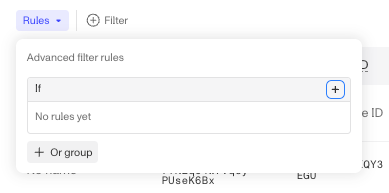
Once a field is marked filterable, it also appears when creating a new rule on the index page. Rules allow for more advanced logic than filters, including grouped AND/OR operators — for example, business_name IS NOT NULL OR type = UBO.
Rules and filters are independent of each other and are additive: any rules you create are combined with your filters using AND.
Plans Explained
Transactions Filterable Fields by plan
| Startup Program | Essential Plan | Growth Plan | Enterprise Plan | |
|---|---|---|---|---|
| Transactions Filterable Fields | Not Available | Not Available | Available | Available |