
Overview
The Screening Report consolidates five reports into one: Persons Watchlist, Persons Adverse Media, PEP, Business Watchlist, and Business Adverse Media.
Use Case
The Screening Report is a comprehensive solution that helps companies look beyond initial identity verification to assess whether they should do business with an individual or entity. It supports critical compliance processes, including Know Your Customer (KYC), Know Your Business (KYB), anti-money laundering (AML), and customer due diligence (CDD).
By consolidating Watchlist, Adverse Media, and PEP screening into a single template, the Screening Report helps teams streamline reviews and more effectively meet their compliance needs.
Features
Consolidation of reports
Users can now review multiple report results on a single screen instead of switching between tabs.
Search inputs
Screen against an expanded list of search inputs:
- Person or entity name
- Birthday
- Country code
- Physical address
- Email address
Review experience
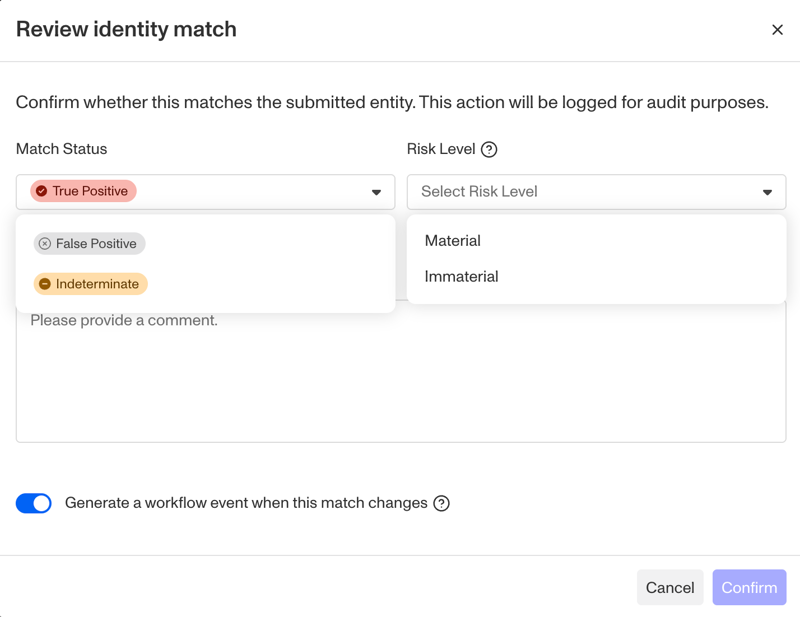
Reviewers classify each match as false or true positive, and also indicate whether the match was “material”. All dispositions are tracked, including what the decision was, who made it, and what reasoning was provided. For more information on reviewing matches, see here.
Continuous monitoring
Instead of pausing screening after a match is found, screening reports continue to run and update at the interval you set. Cases created from screening reports will also be refreshed with the most up-to-date information.
Flexible and customizable matching
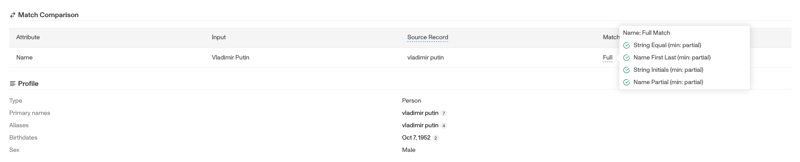
Provides configurable match type presets (exact, strict, tolerant) and highly customizable match group logic. Adds attribute-level matching transparency, so you can see exactly how each input field contributed to a match.
Multi-level match classification
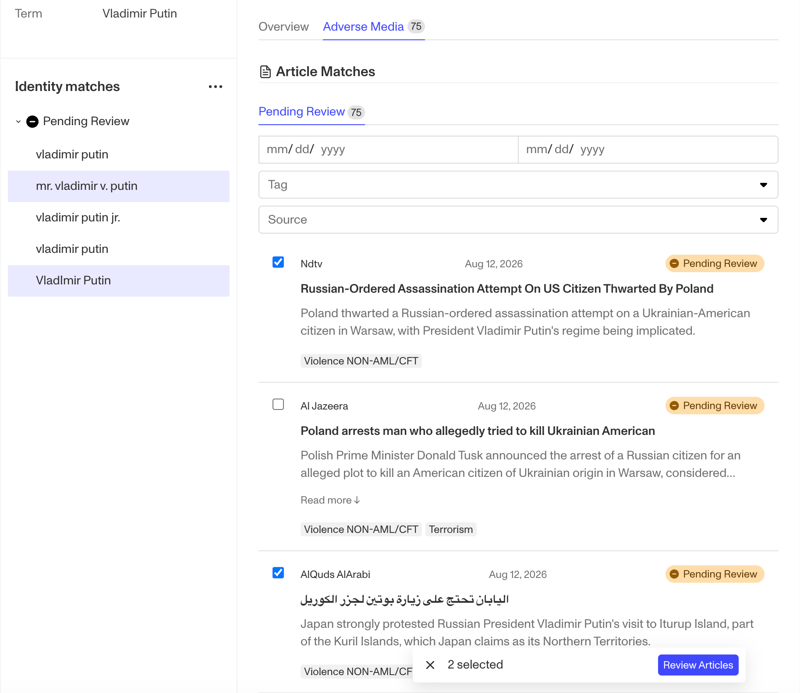
Screening report reviews support classification at two levels: the identity match, and the attribute level (e.g. individual articles in the case of adverse media).
Disclaimer
Persona is not a consumer reporting agency and the services (and the data provided as part of its services) do not constitute a ‘consumer report’ for the purposes of the Federal Fair Credit Reporting Act (FCRA). The data and reports we provide to you may not be used, in whole or in part, to: make any consumer debt collection decision, establish a consumer’s eligibility for credit, insurance, employment, government benefits, or housing, or for any other purpose authorized under the FCRA. If you use any of any of our services, you agree not to use them, or the data, for any purpose authorized under the FCRA or in relation to taking an adverse action relating to a consumer application.
Plans Explained
Screening Report by plan
| Startup Program | Essential Plan | Growth Plan | Enterprise Plan | |
|---|---|---|---|---|
| Screening Report | Limited | Available | Available | Available |