
Overview
This guide covers how to review potential matches for Screening Reports.
Reviewing a Report Match
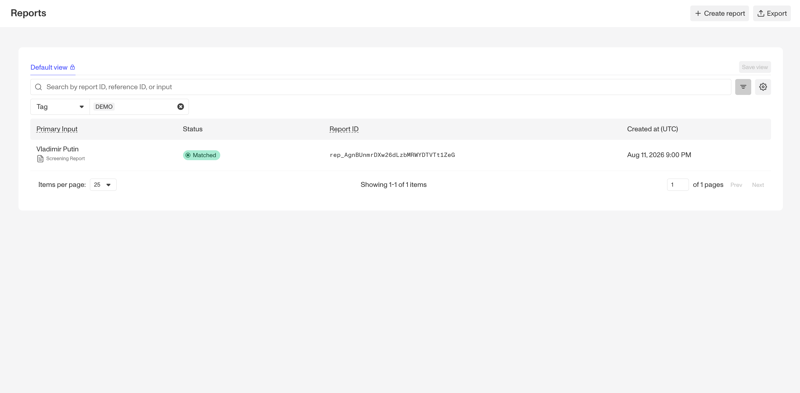
A match will appear in the Reports tab. Click to open it.
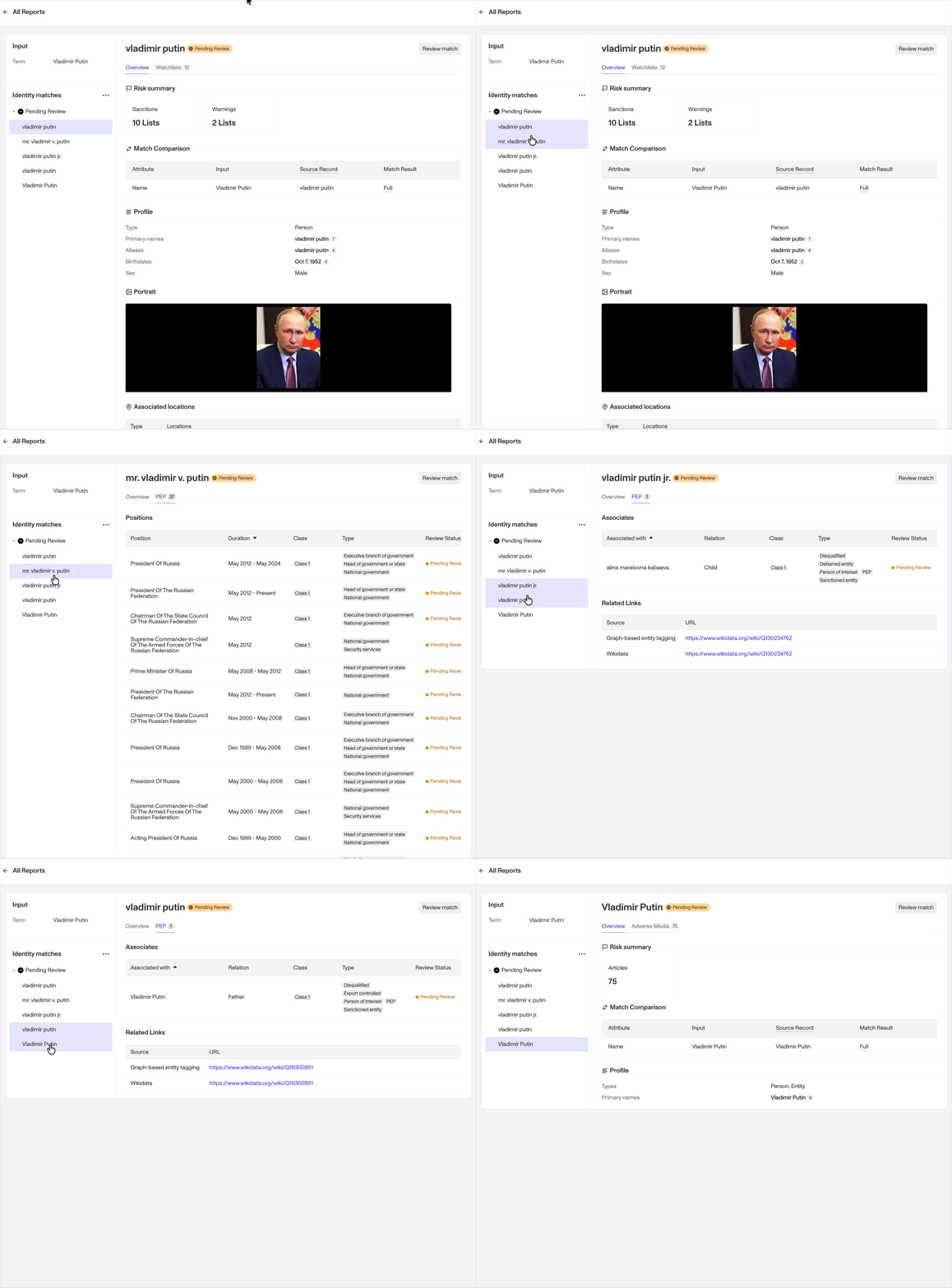
Use the tabs on the left to view all identity matches generated from the report. You can select each identity match to review it individually.
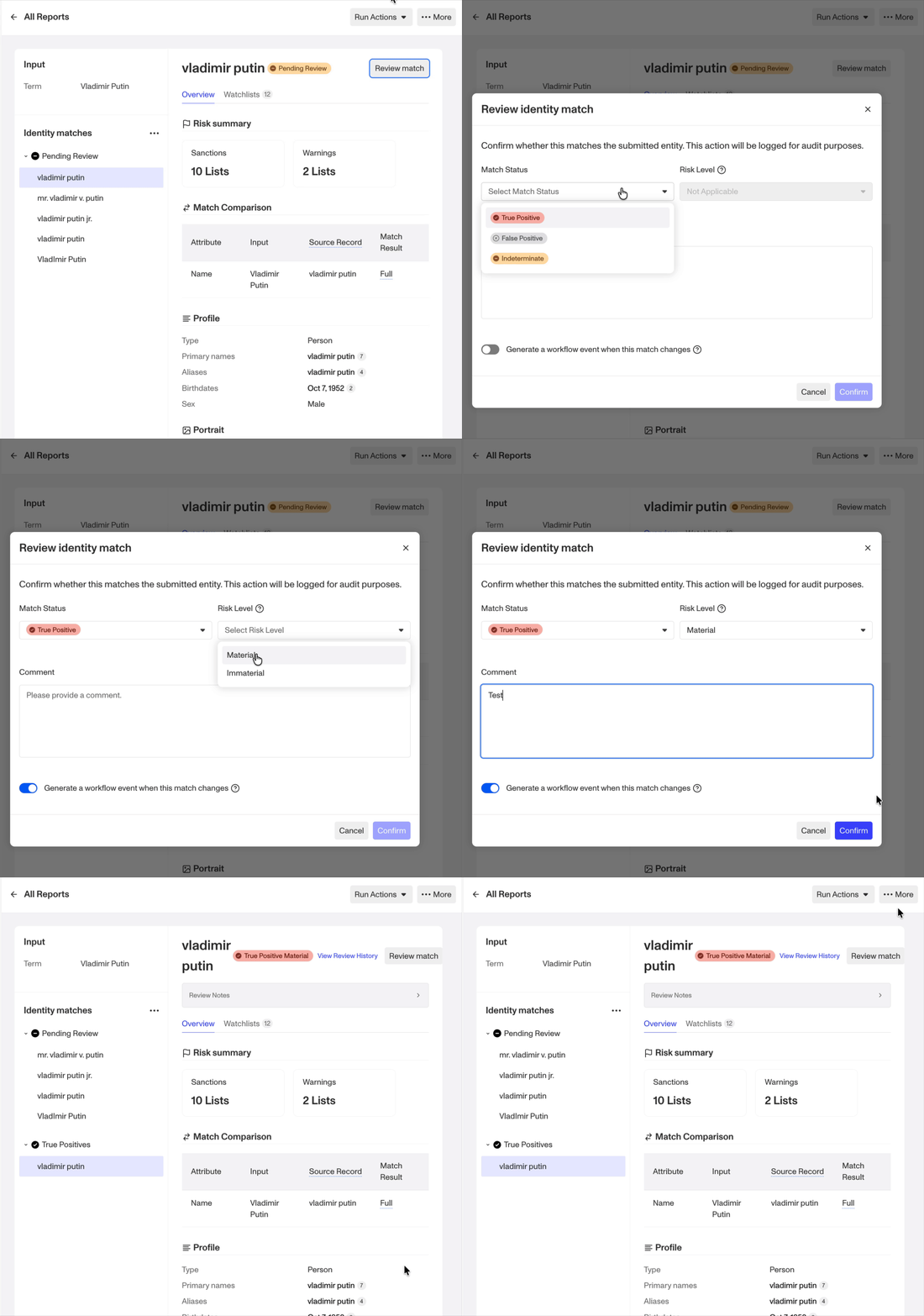
To review a match, click Review Match in the top-right corner. First, indicate whether the match is a True Positive or False Positive. If the match is a True Positive, you can also indicate whether it is material. (A material result is a correct result that presents a risk relevant to your decision or policy. An immaterial result is correct but is not decision-relevant.)
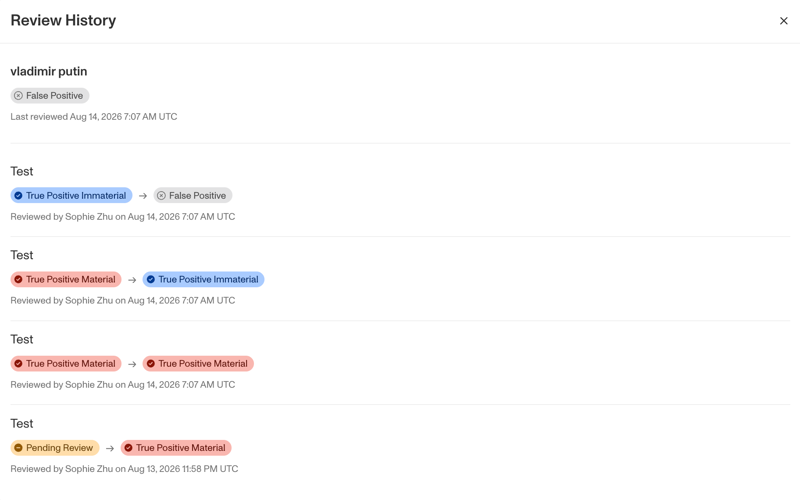
All decisions are saved in a clear audit trail.
For Adverse Media screening, you can disposition matches both on the identity and article level.
Disclaimer
Persona is not a consumer reporting agency and the services (and the data provided as part of its services) do not constitute a ‘consumer report’ for the purposes of the Federal Fair Credit Reporting Act (FCRA). The data and reports we provide to you may not be used, in whole or in part, to: make any consumer debt collection decision, establish a consumer’s eligibility for credit, insurance, employment, government benefits, or housing, or for any other purpose authorized under the FCRA. If you use any of any of our services, you agree not to use them, or the data, for any purpose authorized under the FCRA or in relation to taking an adverse action relating to a consumer application.