Overview
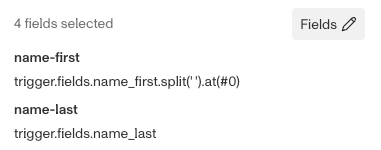
A common issue with the way Passports are formatted is that the middle name, if included, is added to the end of the first name field. So for example, Alexander James Sample would have a first name field of Alexander James. Feeding that directly into a report like Adverse Media would not return a useful result, since that’s not the actual first name.
Thankfully persona support a function called Split which allows you to split a string into an array. You have to identify a delimiter, a character within the string to mark where the string should be divided. If we had a string like Alexander James again, we could use the space character as the delimiter and end up with an array with two entries, Alexander and James.
Then we add the at() function, which allows you to pick an entry from an array. In this case we want the first name, so we’d use an index of 0 since arrays count from zero and up.
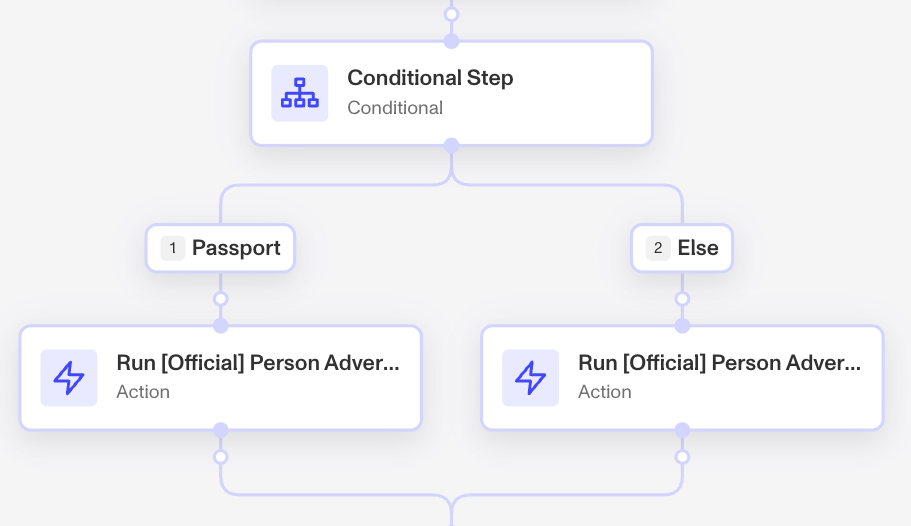
This scenario assumes you’re working working with passports and only want to modify the field inputs for just the workflow runs with. The tutorial below is also show how to set up a conditional branch with routes for passports and non-passport runs. 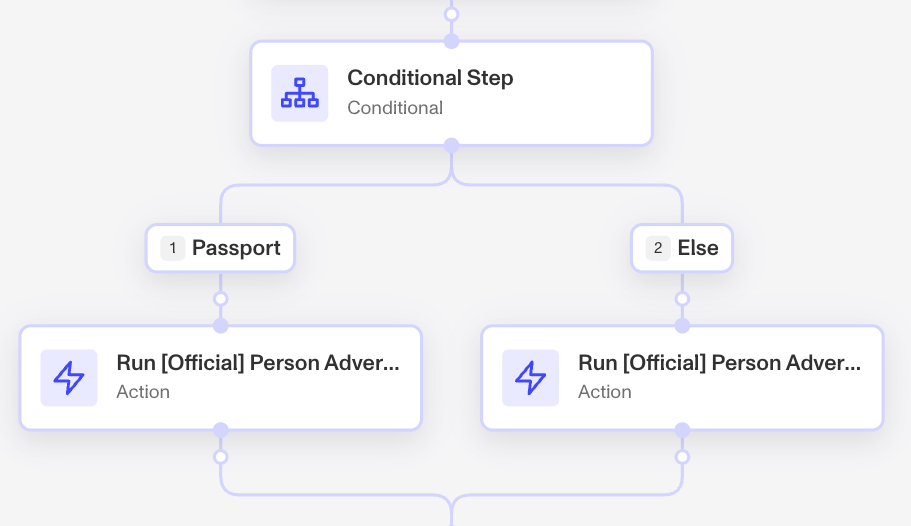
Steps
-
Open your workflow where you’re running the report.
-
Where your existing Run Report action is, place a Conditional Branch step above it.
-
To edit Route 1, click the pencil icon to it’s right.
-
Update the Label to Passport.
-
For the conditional set it to
trigger.fields.selected_id_classequalspp, which is the code for Passport.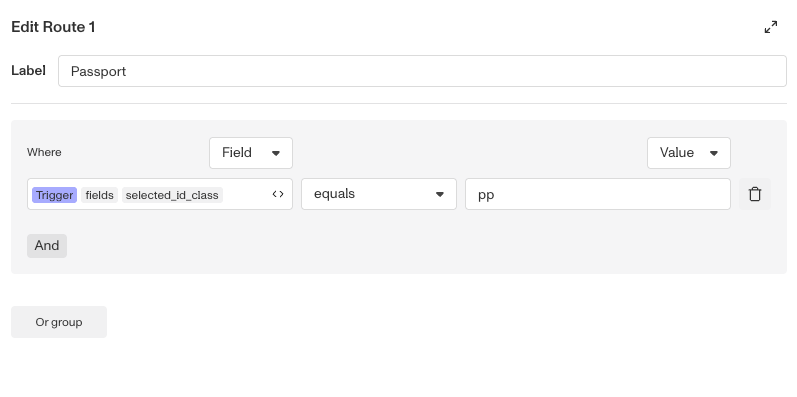
-
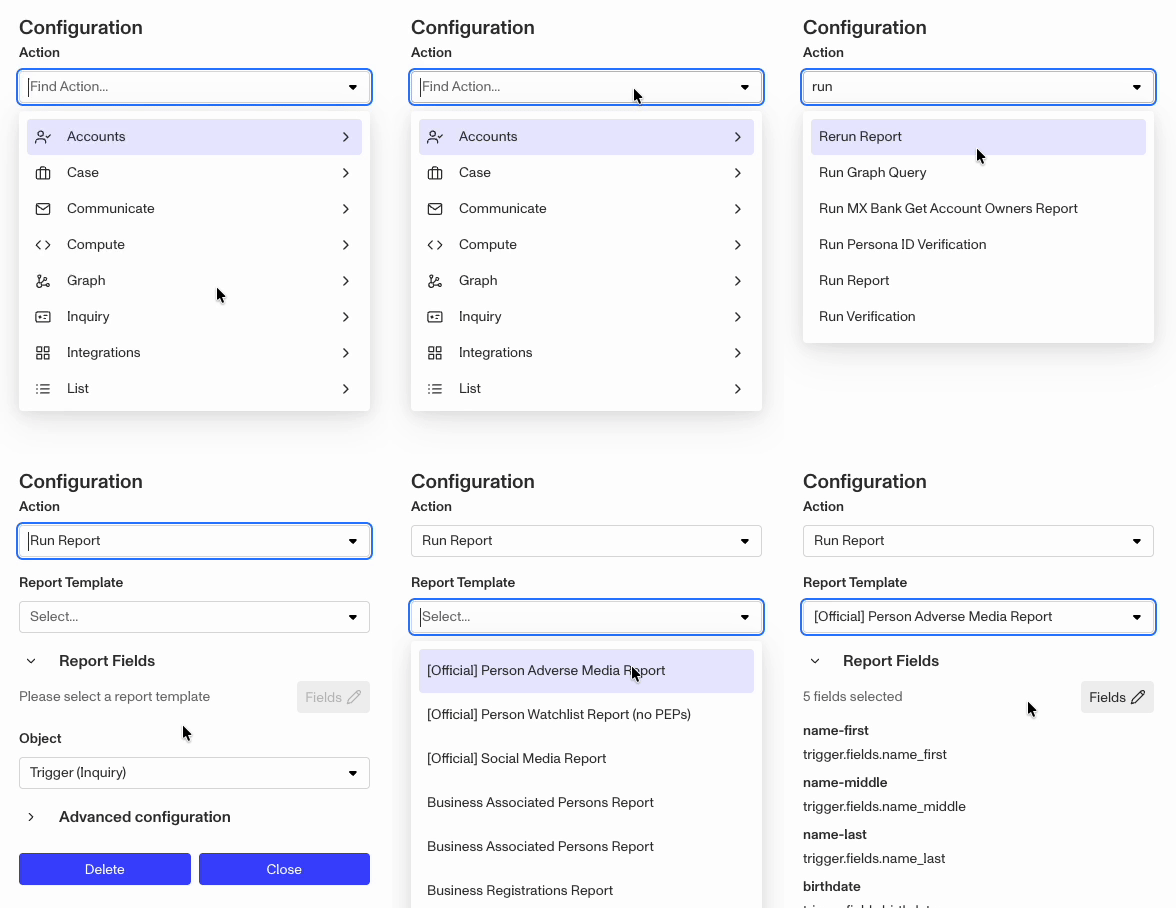
In the Route 1 branch, click into the blank placeholder steps and set it to Action, then search and select
Run Report. -
For the Report Template, select your preferred template.
-
Under Report Fields, click the
Fieldsbutton to edit and update the report’s input fields. -
Use the trash icon to remove the
name_middlefield. -
If the
country_codefield is showing an error, replace country code withselected_country_code.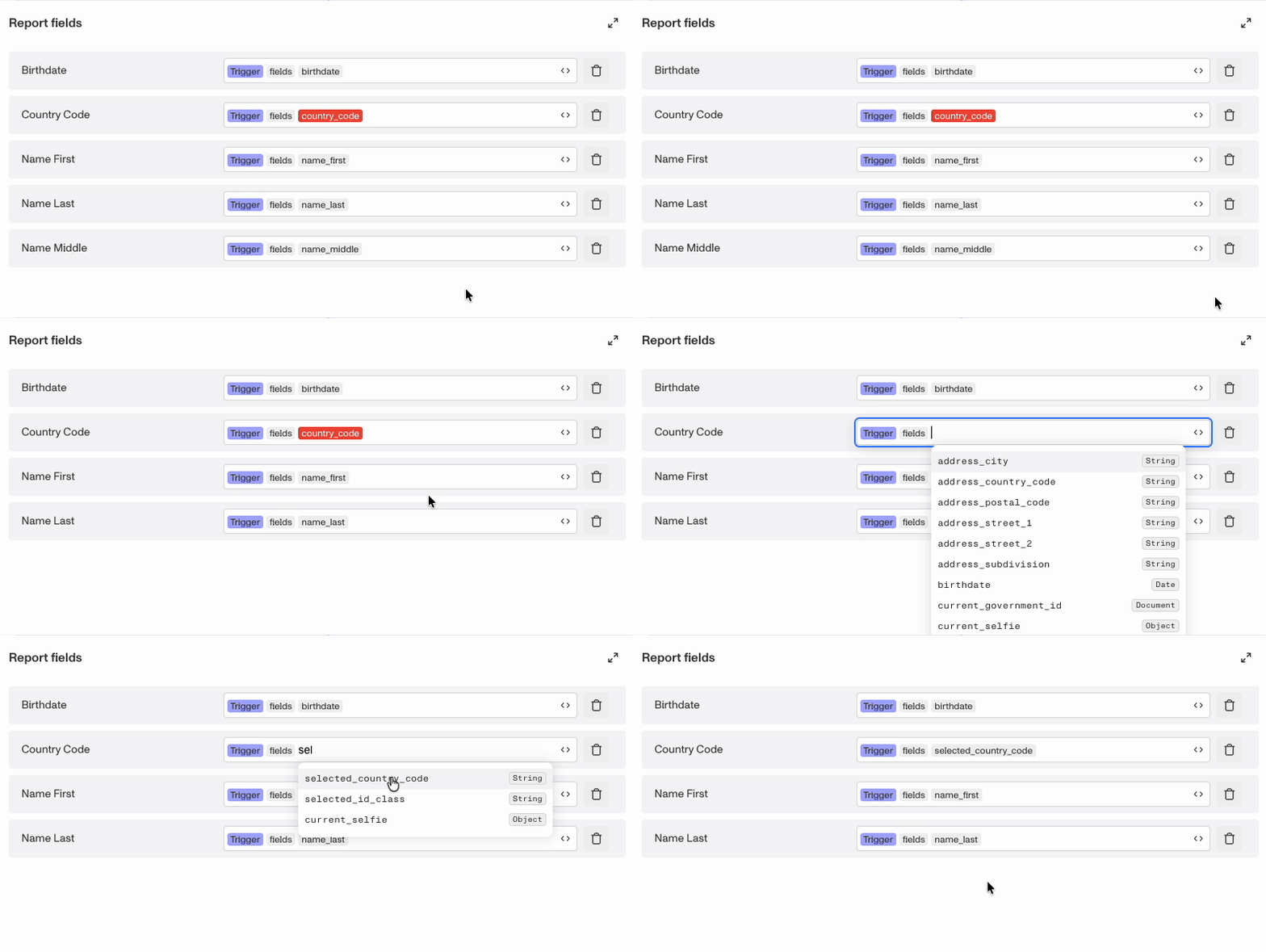
-
Click into the Name Field field at the end of
name_first. From the options in the drop down, selectsplit. This will surface a “split” screen asking for the Delimiter. Press your spacebar key once, to enter a space character as the delimiter.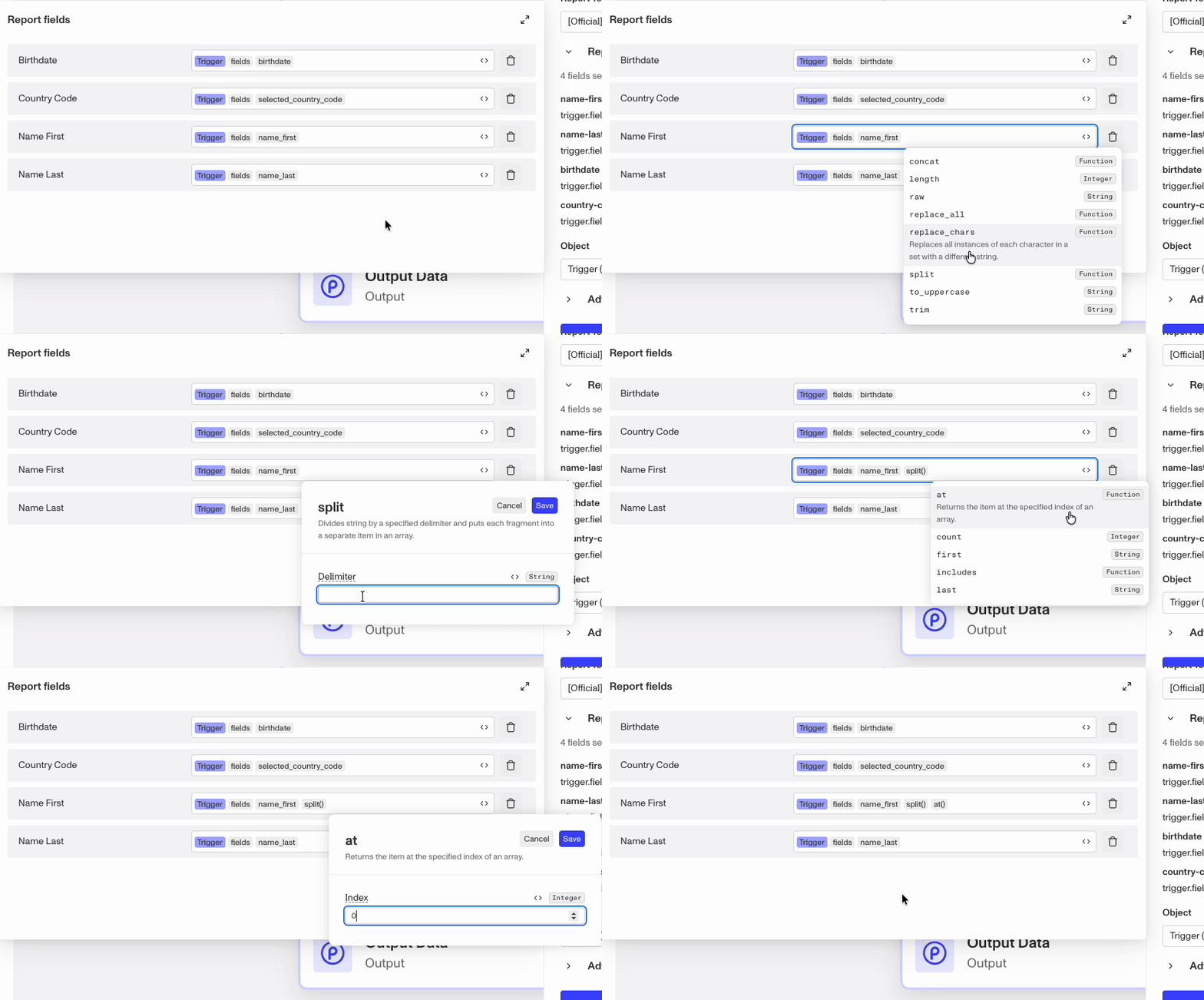
-
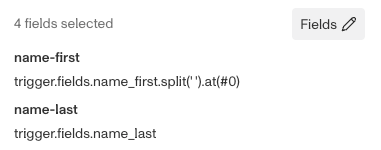
Clicking out of the Report fields editor, you should set the updated fields. The name-first field should now include the split and at functions.
-
Back in the Conditional Branch, add the same Run Report action to the else branch. Fix any errors with
country_code, but leave the other report fields at their default.