
Persona’s Fraud Signals solution evaluates Signals generated during an Inquiry and applies an automated Workflow to flag potential fraud for review. For an overview of what Signals are, see Signals Overview.
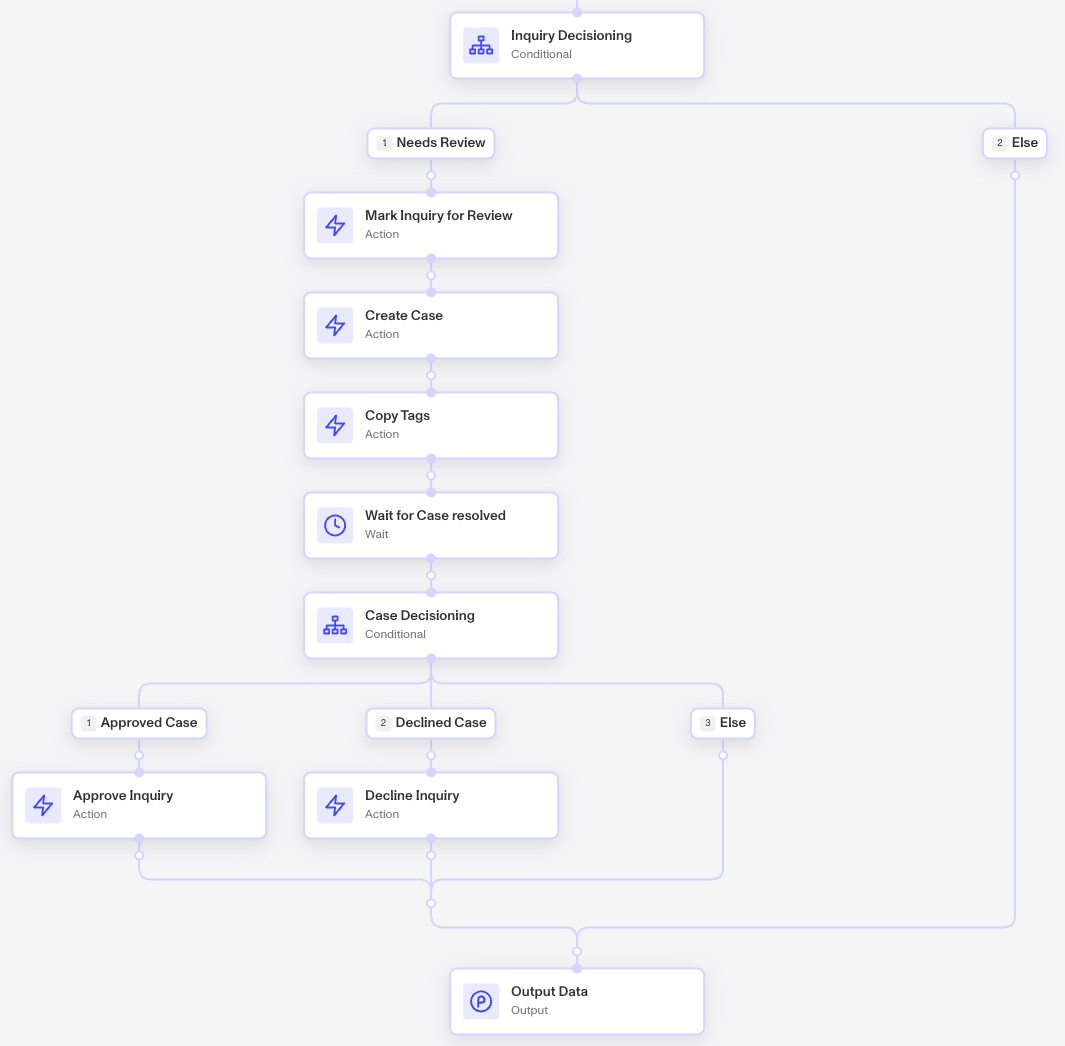
Risk thresholds can be configured for each Signal, and if any Signal exceeds its defined threshold, the system conditionally creates a Case and flags the Inquiry for review. Your manual review team can then assess the Case using the full set of collected data—including the Signals—to determine whether to approve or decline the Inquiry.
Flexible Solution, via Implementation
The Fraud Signals Solution includes two key parts:
- Fraud Network Signal Detection Workflow or Workflow module
- Fraud Signal Review Case template
The Workflow evaluates whether fraud-related Signals are present and tags the Inquiry accordingly.
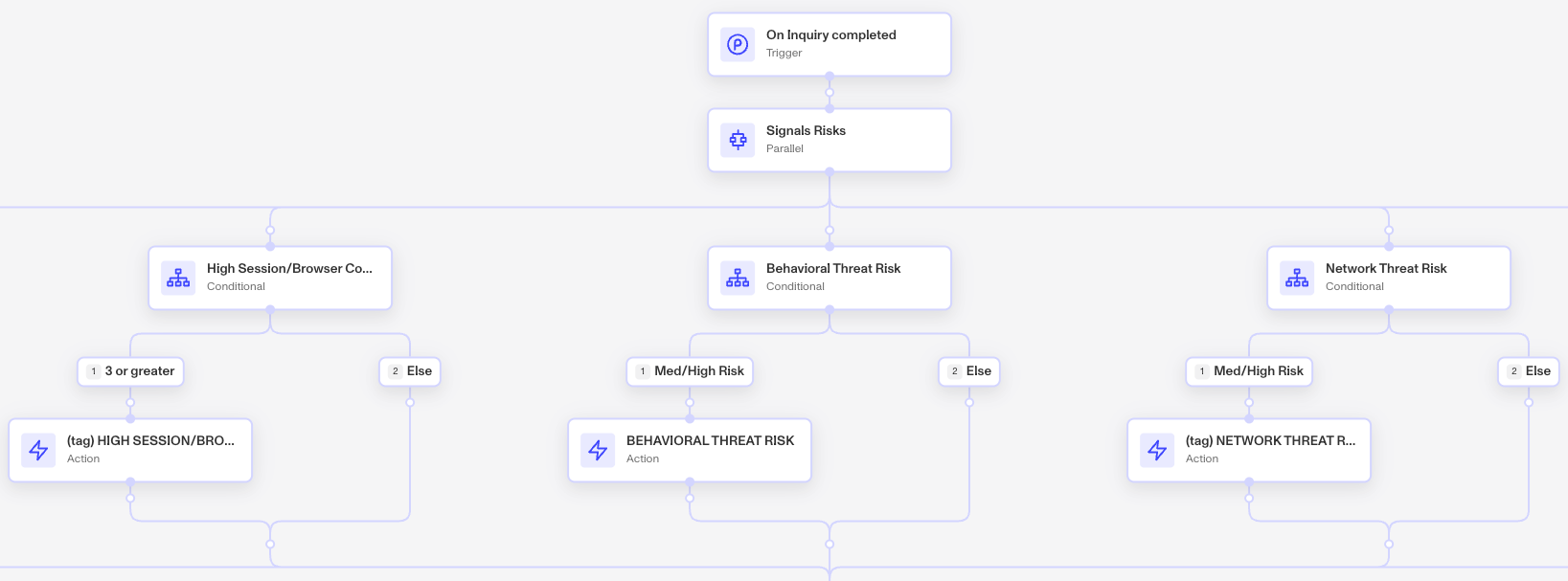
You can tailor which Signals are evaluated—adding those that are relevant and removing those that are not—while also adjusting the risk threshold to align with your risk tolerance.
If any of the risk Signals exist on the inquiry, it’s marked for review and a Case is created.
Implementation
Fraud Signals Solution engagements partner with Persona to evaluate your signals against your unique risk profile.
To learn more or request access, let us know. We're happy to help.