
This question came from a member of the Persona community, a developer who had finished testing and could not find where to move over to Production. This is useful for anyone moving between Sandbox and Production.
You can switch between Sandbox vs. Production Environments.
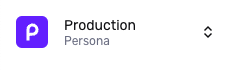
Find your current environment
Your current environment is shown in the top left corner of the Dashboard:
Switch environments
To switch to an environment:
-
Click your current environment to open a menu.
-
Select the new environment.
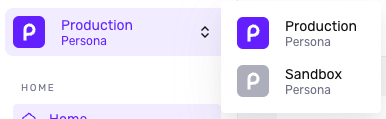
If you are seeing Sandbox as your only Environment option, you may be in a Sandbox-only trial of Persona. To select a plan and gain Production Environment access, head over to
Organization > Billing to review options.
This answer was reviewed by Justin Sayarath, a product manager at Persona. FAQs, unlike other articles, are written to provide Persona Community members more specific answers to common questions. While we periodically review responses and answers, please note when this FAQ was last updated as information may have changed since then.