
Overview
A role encapsulates a set of permissions. You can assign one or more users to a role, and each user can be assigned one or more roles.
Prerequisites
You must be assigned the permission to edit users.
Steps
-
In the dashboard, navigate to Team > Users.
-
In the row for the user you want to edit, select ”…” > Assign roles.
-
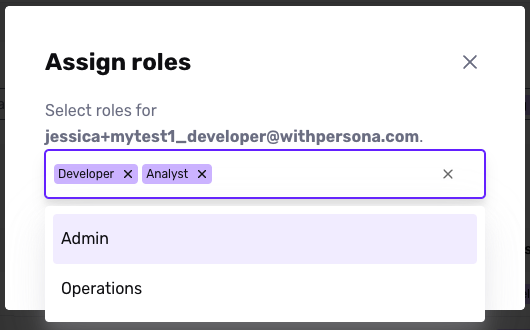
Add or remove roles.
-
Click Update Roles.