
Overview
The Persona Dashboard is available in English, French (Canada), and Japanese. When you select Français (Canada) or 日本語, the Dashboard shows its text in that language.
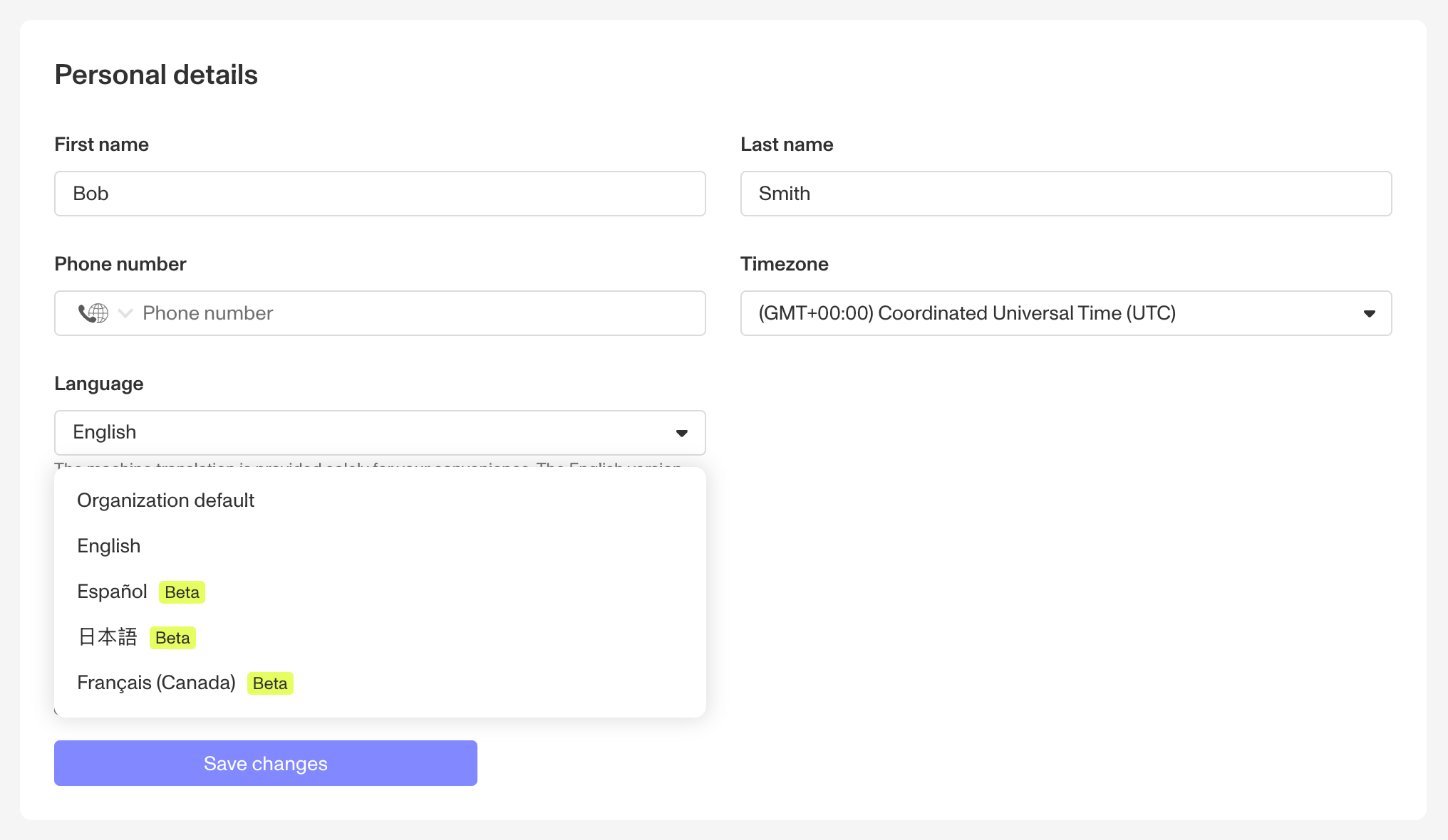
Review teams that work in French or Japanese can read verification results and Case updates in their working language. Each user chooses their own language, so one team can use French (Canada), Japanese, and English at the same time. Your choice does not change the Dashboard language for your colleagues.
Dashboard language support is a targeted beta and is not generally available. Only organizations with Dashboard localization enabled can use it. To request access, reach out to your Persona account team.
This setting changes the Dashboard only. To translate the flow that your end users complete, use Inquiry Template translations. See Translations and localizations.
Disclaimer
The machine translation is provided solely for your convenience. The English version governs in the event of any discrepancy or conflict.
What appears in your language
The Dashboard translates all system-generated text in its core areas. It does not translate custom values, such as Case status names, template names and custom field names. These values stay as your organization wrote them.
Case notifications that you received before localization was enabled stay in English.
The translations are new, and native speakers are still reviewing them. Persona welcomes feedback about the wording of these translations.
Organization and user languages
You can set the Dashboard language at two levels:
- Organization: the default language for all users in your organization.
- User: the language that you select in your profile settings. Your user setting overrides the organization default.
If you select Organization default, the Dashboard uses the language that your organization sets.
Choose your language
- Click your profile image > Profile.
- In your personal details, open Language.
- Select Français (Canada), 日本語, or English. To use the language that your organization sets, select Organization default.
- Save your changes.
If you don’t see your language
- No Language field: localization isn’t enabled for your organization.
- Some text is still in English: that text doesn’t have a translation yet, it is a custom value, or it is an older Case notification.