
What is an Action Step?
The Action Step — within the Flow Editor — allows you define a sequence of actions required to conduct further business logic, write collected information to other Persona objects, or conduct actions necessary to complete immediate or future business processes within an Inquiry Flow. An Action Step’s Action Sequence operates similarly to Workflows.
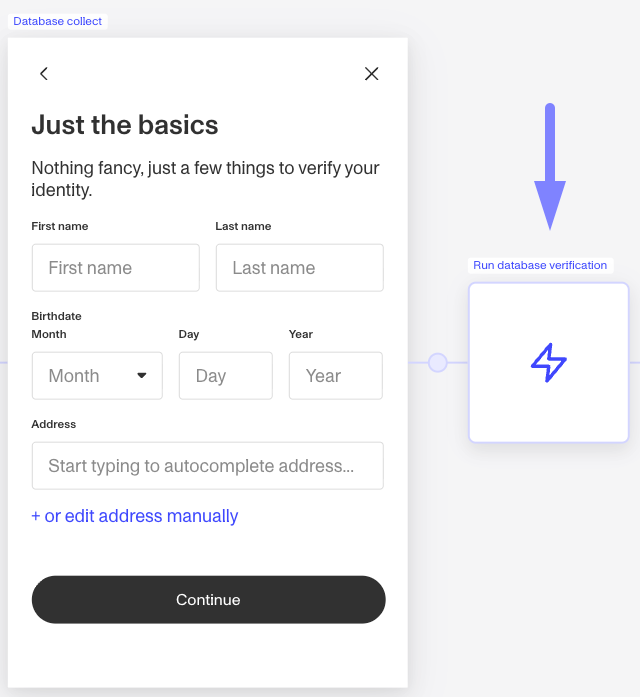
This Action Step happens after a Screen Step. You can investigate the Action Step further by double clicking to see the underlying Action Sequence.
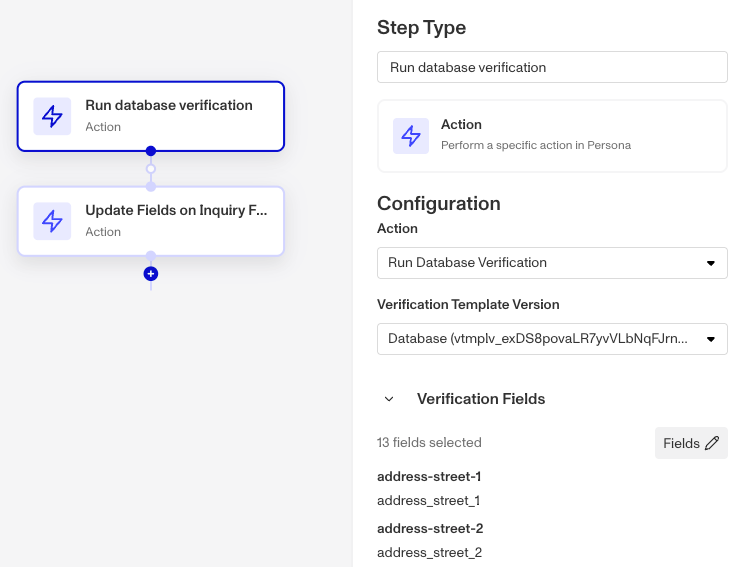
Looking further into the above Action Step, you can see the underlying actions within the Action Sequence.
Where do you add an Action Step?
-
To access this feature, navigate to Inquiries > Templates from the left nav and select any Inquiry template.
-
An Action Step can be added by moving your mouse over the circular nodes between steps, turning them into a plus sign. From the step menu, select Action Sequence.
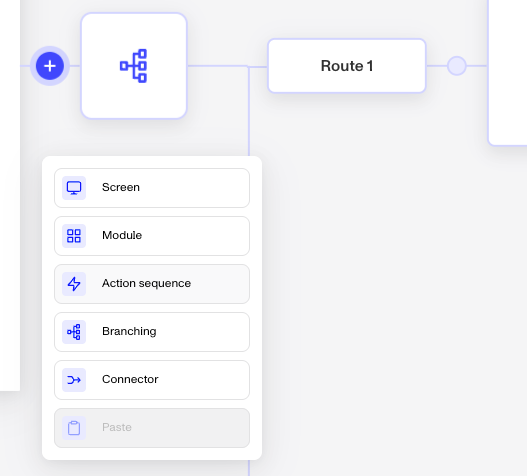
To add a new Action Step, click the plus sign wherever you'd like the step to be added.
You can also edit an existing Action Step by double clicking on it or clicking the pencil icon below it to review the underlying Action Sequence.
What can you do with Action Steps?
Run Verifications and handle Verification results
The most common use of Action Steps is to run Verifications within an Inquiry Flow. This allows you to gain a risk signal while a user is moving through your experience and follow up with additional Verifications for further assurance or any other follow up actions using other Persona products. Depending on your business needs, you can strategically place Verifications throughout the Inquiry flow to minimize risk, deter fraud, or maximize conversions.
Updating Account fields
An Inquiry typically represents a singular attempt at identity verification (or onboarding, reverification, or your use case), whereas an Account is a system of record for a user. An Account keeps record of all of the entity’s details in Account fields and logs the detail of their various Inquiries/attempts at verifying.
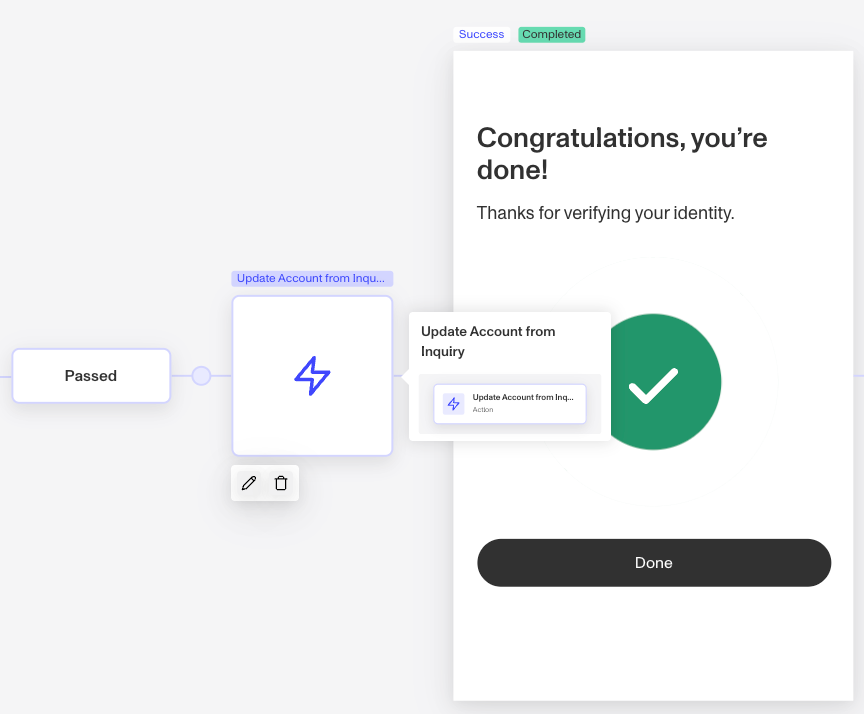
Examples
Action Steps on the Essential Plan
Action Steps are commonly used to run Verifications within an Inquiry Flow.
Essential Plan customers can run the Verification types available on that plan. For example, Database Verification utilizes a Screen Step to collect information from a user and then the Action Step runs those attributes appropriately to produce a Verification run. After the Verification, customers often have a Branching Step to show users a success, retry, or fail screen. This follows best practice to ensure end-users are informed of their attempt in real-time.
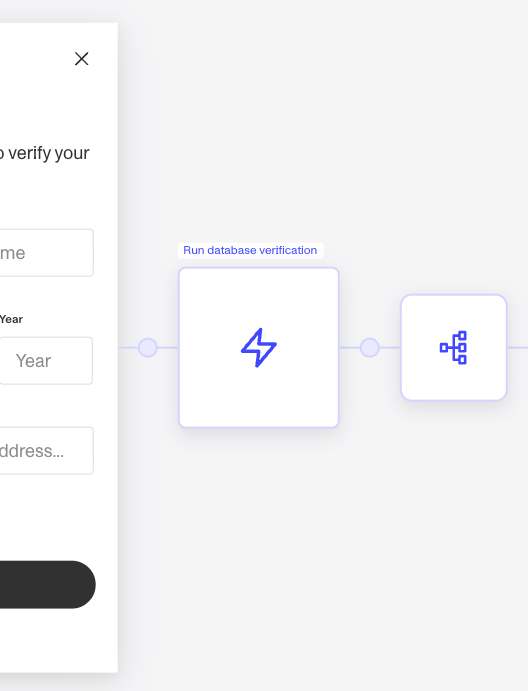
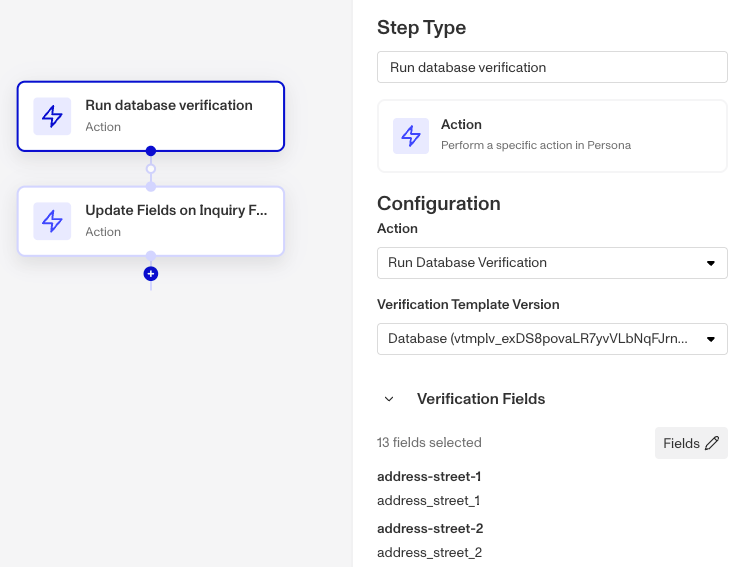
An Action Step on the Essential Plan runs the basic Inquiry Flow actions plus the actions available in Workflows Basic. An Inquiry Template on this plan holds up to 20 steps in total, counting Screen, Action, Branching, and Connector Steps together.
Action Steps on the Growth Plan
Growth Plan customers have access to all the functionalities for Action Steps available on the Essential Plan, and can additionally execute advanced Verification services available on that plan and actions available on Workflows Enhanced.
On the Growth Plan and Enterprise Plan there is no cap on the actions an Action Step can run, or on the number of steps an Inquiry Template can hold.
Plans Explained
Action Steps by plan
| Startup Program | Essential Plan | Growth Plan | Enterprise Plan | |
|---|---|---|---|---|
| Action Steps | Limited | Limited | Available | Available |