
This question came from a member of the Persona community, a template builder who needed a Fail screen for a conditional route on an Inquiry template. This is useful for anyone designing failure paths in an Inquiry flow.
Answer
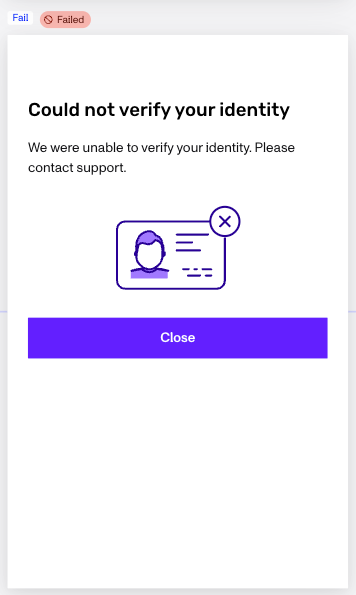
A Fail screen is the screen an end user reaches when the Inquiry flow fails. Each inquiry template includes one by default. You can use a Connector Step anywhere in the template to send the user to that existing Fail screen. A Connector Step can reuse the same Fail screen from more than one route.
If you want a custom or modified fail screen you can add a Standard Failed Step to create one, modify it, then use a Connector Step to route a Branching Step path to it.
Add a Fail screen
- In the Persona Dashboard, navigate to Inquiries > Templates and select the Inquiry template you want to edit.
- In the Flow Editor, click the + where you want to add the failure destination.
- Select Module.
- Choose Standard Failed Step, then click Insert.
You can edit the inserted screen to customize what end users see.
Connect a route to the Fail screen
In the steps below you can route to either the default fail screen or a custom one you’ve previously added in.
- In the Branching Step, identify the route that should fail. Routes are evaluated in order, so use an unconditioned route as the fallback when appropriate.
- Click the + on that route and select Connector Step.
- Select the Fail screen you added as the Connector Step destination.
- Save and publish the template after you finish testing the route.
For example, a Branching Step can route users who pass to the next step, route eligible users back to retry, and connect its fallback route to the Fail screen. For more detail, see Editing logic within a Branching Step and Connector Steps in Inquiries.
This answer was reviewed by Ryan Cole, a content manager at Persona. FAQs, unlike other articles, are written to provide Persona Community members more specific answers to common questions. While we periodically review responses and answers, please note when this FAQ was last updated as information may have changed since then.