
This question came from a prospect customer who wanted to better understand their end user Inquiry experience with the real time UI feedback.
Question
Where can I find all the UI feedback messages for end users going through an Inquiry?
Answer
Each of the Verifications included in a solution contains default feedback messages to end users to help them complete the inquiry flow. These messages can be customized by your team. These feedback messages are included and configured on the relevant verification screens. All text on a screen, including the feedback messages, are collected under the Translations dropdown.
Navigation steps
-
In the Persona Dashboard, click Inquiries > Templates in the navigation bar.
-
Click the Inquiry template you want to edit, or Create a new template to open it in the Flow Editor.
-
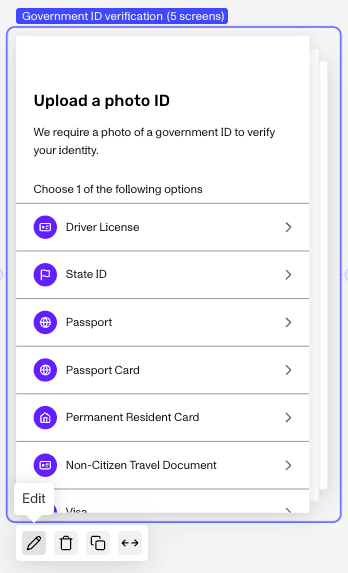
Hover over a Verification screen (for example, the Government ID or Selfie Verification screen) and click the Pencil icon, or double-click the screen to open it in the Screen Editor.
-
In the Screen Editor, select the component whose feedback messages you want to inspect.
-
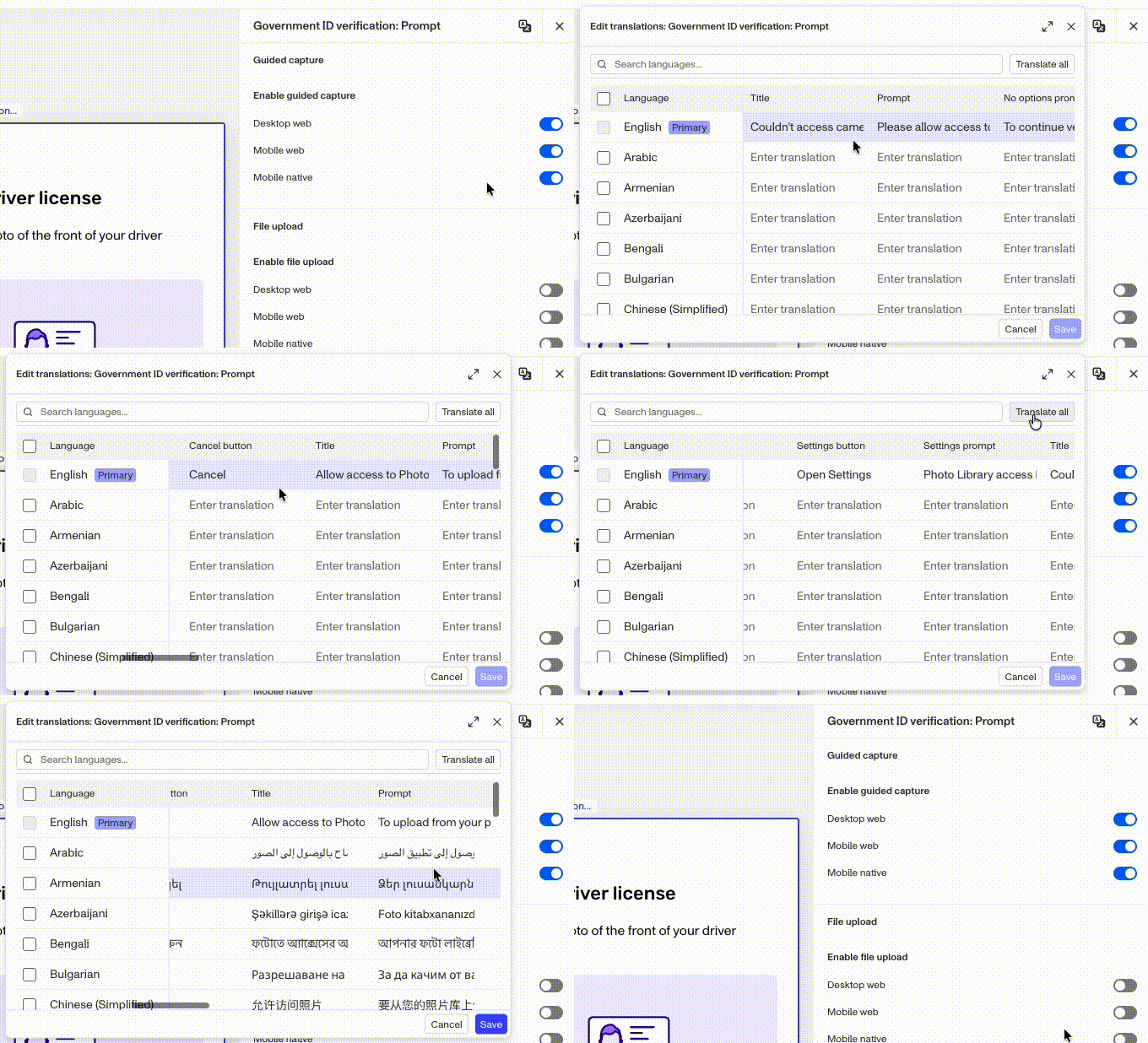
At the top right of the configuration panel, click the Translations icon.
-
In the Translations modal, scroll horizontally through the various feedback messages. Some of them, like “Title” or “Prompt”, are for components that are visible by default. Others, like “Unsupported Prompt”, will only be displayed when the UI has detected that an end user has run into a particular issue. Some screens will have many more feedback messages available than others. All feedback messages are tailored to that screen.
Should you change the feedback messages?
Persona’s Inquiry team continues to refine the Inquiry experience and pays a great deal of attention to the effectiveness of UI feedback messages to help ensure the best end user experience. While we don’t recommend modifying the feedback messages, you are able to do so via the Screen Editor in the inquiry template.
This answer was reviewed by Ryan Cole, a Growth content manager at Persona. FAQs, unlike other articles, are written to provide Persona Community members more specific answers to common questions. While we periodically review responses and answers, please note when this FAQ was last updated as information may have changed since then.