
What is the Inquiry MX Bank form component?
MX Bank is an Inquiry screen component that embeds MX’s bank connection screen, letting a user connect their bank account so Persona can verify account ownership through the MX integration. MX is a financial data platform available as a Marketplace integration.
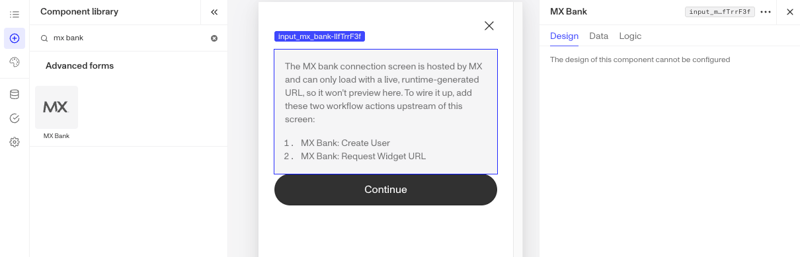
The MX Bank screen is hosted by MX and loads at runtime, so it does not preview in the editor. To use it, your organization must have the MX integration set up.
How do you add an Inquiry MX Bank form component?
The MX Bank connection screen is hosted by MX and only loads with a live, runtime-generated URL, so it won’t preview in the editor. To wire it up, add two Workflow actions upstream of this screen: MX Bank: Create User and MX Bank: Request Widget URL.
-
Navigate to the Dashboard, and click on Inquiries > Templates.
-
Find and click on the Inquiry template you want to edit, or Create a new template.
-
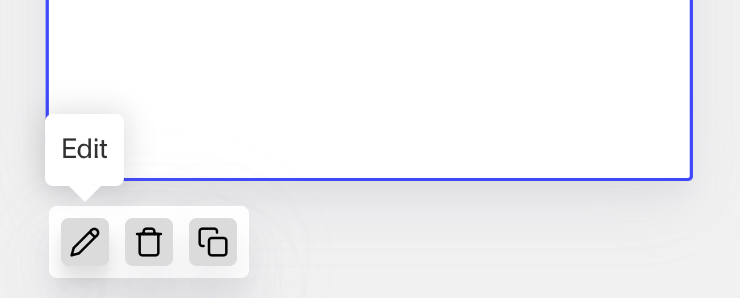
Hover over a screen and click the Pencil icon, or double-click the screen to open it in the Screen Editing View.
-
In the Left Panel, search the Component Library for ‘MX Bank’.
-
Drag and drop the MX Bank form component into your screen, and reposition it by dragging it around.
-
Click on the MX Bank form component to open its settings in the Right Panel. The panel has three tabs: Design, Data, and Logic.
- The Design tab cannot be configured for this component.
- On the Data tab, under Fields, map each input to a field. Use the … menu to create new fields for any empty rows:
- Widget URL field: Stores the runtime URL used to load the MX connection screen.
- Member GUID field: Stores the MX member identifier for the connected user.
- Microdeposit GUID field: Stores the identifier MX uses for microdeposit verification.
- Error code field: Stores any error code returned by MX.
- The Logic tab does not have configurable rules for this component.
-
Use the actions at the top right of the panel to copy or delete the component.
-
Close the step. You’ll have to Save and Publish the template to begin using it.
Learn more
Plans Explained
MX Bank form component by plan
| Startup Program | Essential Plan | Growth Plan | Enterprise Plan | |
|---|---|---|---|---|
| MX Bank form component | Available | Available | Available | Available |