
What is the Inquiry Document Verification module?
The Document Verification module adds pre-built Document AI Verification to your Inquiry flow. It allows your users to upload or capture images of documents and runs classification, extraction, and verification checks on the submitted file.
The checks and extraction capabilities available depend on your plan. See Plans Explained below.
How do you add an Inquiry Document Verification module?
-
Navigate to the Dashboard, and click on Inquiries > Templates.
-
Find and click on the Inquiry template you want to edit, or Create a new template.
-
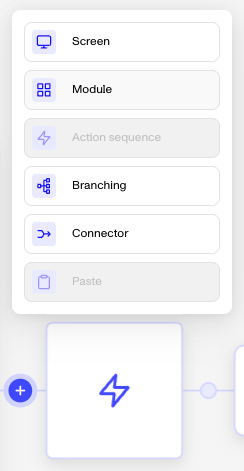
In the Flow Editor, click the ”+” sign in the flow where you want to add a module.
-
Select Module from the list of options.
-
Choose Document Verification and then click Insert.
The module adds the following to your flow:
- A document capture screen: Accepts PDF, JPEG, JPG, PNG, HEIC, and HEIF files up to 32 MB by default. Templates with an explicitly configured upload limit retain that configured limit.
- A Document Verification step
- A pass/retry/fail branching step
After inserting the module, you will need to configure which document types are accepted, no document classifications are pre-set. You can also configure verification checks, extraction fields, and capture options (upload vs. camera). For guidance, see Document Verification: Configuring Documents AI overview.
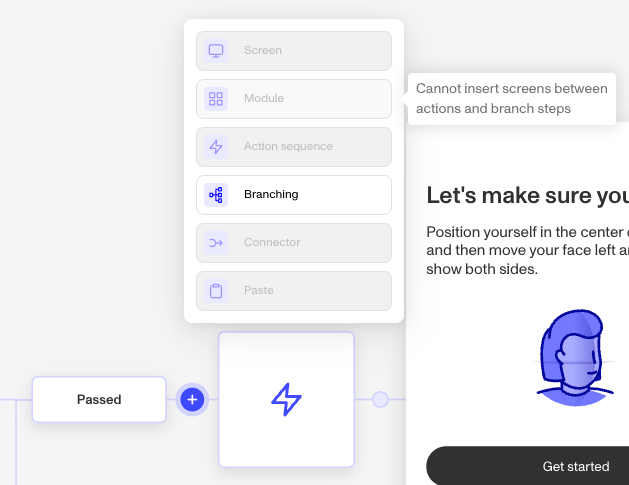
Module placement
Not all locations in the flow support modules. If the Module option is grayed out when you click ”+”, hover over it to see why it can’t be inserted there.
Plans Explained
Document Verification Module by plan
| Startup Program | Essential Plan | Growth Plan | Enterprise Plan | |
|---|---|---|---|---|
| Document Verification module | Not Available | Available | Available | Available |