
What is the Inquiry Phone Number Verification module?
The Phone Number Verification module adds pre-built phone number collection and verification screens to your Inquiry flow. It verifies that the end user possesses the phone number they provided by sending them a one-time confirmation code via SMS.
It writes the collected phone number to the phone_number field key. Verification steps that read from this field, such as Database verification, will use the value collected by this module.
Adding this module will overwrite any existing value already stored in the phone_number field, including values pre-filled via API at Inquiry creation.
How do you add an Inquiry Phone Number Verification module?
-
Navigate to the Dashboard, and click on Inquiries > Templates.
-
Find and click on the Inquiry template you want to edit, or Create a new template.
-
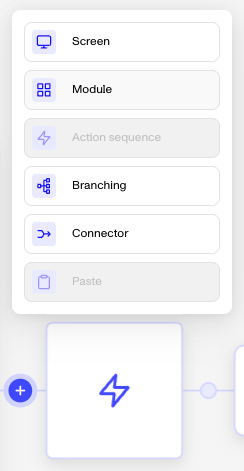
In the Flow Editor, click the ”+” sign in the flow where you want to add a module.
-
Select Module from the list of options.
-
Choose Phone Number Verification and then click Insert.
The module adds the following to your flow:
- A screen that collects the end user’s phone number
- A screen that prompts the end user to enter their confirmation code, with a built-in Resend confirmation code button
- A Phone Number Verification step
- A pass/retry/fail branching step: By default, users are allowed 5 confirmation code attempts before the verification fails
- An SMS delivery failed route that returns the user to the phone number collection screen if the code cannot be delivered
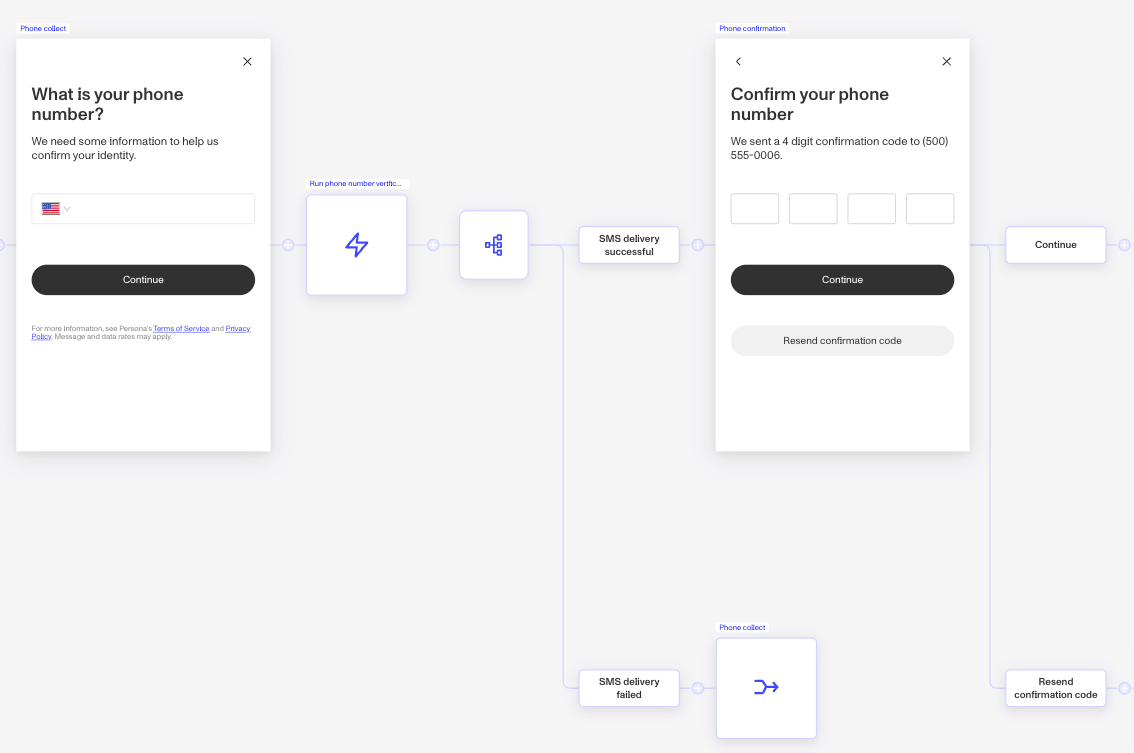
After inserting the module, you can edit the retry branching condition to adjust the number of allowed attempts, and customize the screen copy on both screens. For guidance on configuring verification checks, see Configuring Phone Number verification checks.
Module placement
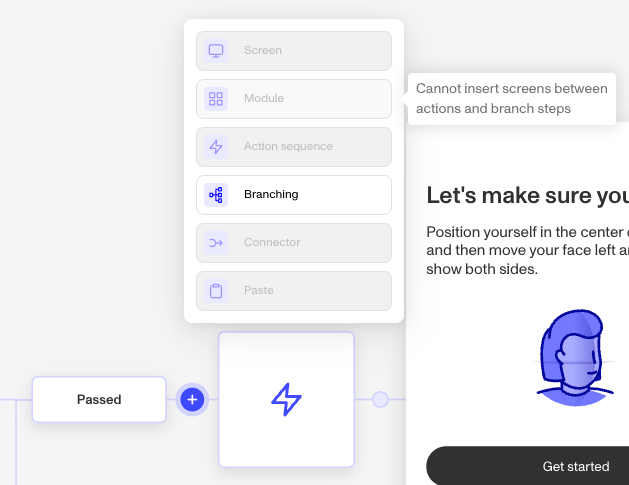
Not all locations in the flow support modules. If the Module option is grayed out when you click ”+”, hover over it to see why it can’t be inserted there.
Plans Explained
Phone Number Verification module by plan
| Startup Program | Essential Plan | Growth Plan | Enterprise Plan | |
|---|---|---|---|---|
| Phone Number Verification module | Not Available | Available | Available | Available |