
What is the Inquiry Device Handoff component?
Device Handoff is an Inquiry screen component that adds a button letting users continue the Inquiry on another device, such as switching from a computer to a phone. You can customize its appearance and define logic that governs when it appears.
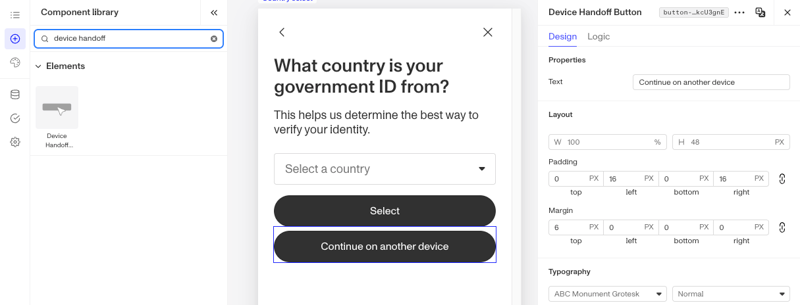
A Device Handoff button is useful when a step is easier to complete on a different device, for example moving to a phone to capture a photo or scan a document.
How do you add an Inquiry Device Handoff component?
-
Navigate to the Dashboard, and click on Inquiries > Templates.
-
Find and click on the Inquiry template you want to edit, or Create a new template.
-
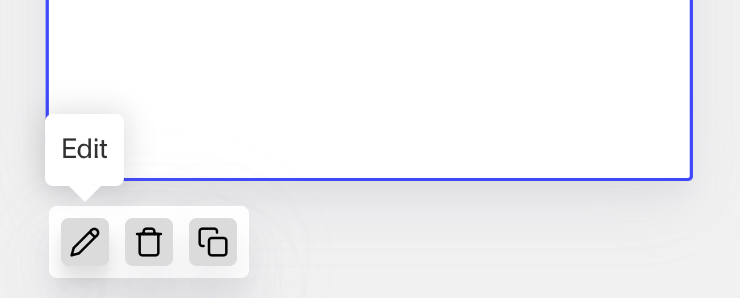
Hover over a screen and click the Pencil icon, or double-click the screen to open it in the Screen Editing View.
-
In the Left Panel, search the Component Library for ‘Device Handoff’.
-
Drag and drop the Device Handoff component into your screen, and reposition it by dragging it around.
-
Click on the Device Handoff component to open its settings in the Right Panel. The panel has two tabs: Design and Logic.
- On the Design tab, under Properties:
- Text: Set the text displayed on the button.
- On the Design tab, use the Layout, Typography, and Appearance sections to style the component. See the Design tab section on the Screen Step components in Inquiries page for details.
- On the Logic tab, add rules that govern when the component appears, and when it does not. See the Logic tab section on the Screen Step components in Inquiries page for details.
- On the Design tab, under Properties:
-
Use the actions at the top right of the panel to copy, delete, or set translations on the component. To translate the text, see Editing translations for your Inquiry.
-
Close the step. You’ll have to Save and Publish the template to begin using it.
Learn more
Plans Explained
Device Handoff component by plan
| Startup Program | Essential Plan | Growth Plan | Enterprise Plan | |
|---|---|---|---|---|
| Device Handoff component | Available | Available | Available | Available |