
What is Persona?
What is Persona?
Persona is the leading secure identity verification platform. Organizations in many industries all over the world trust it. We help companies to confirm identities quickly and securely, so that you can access the services that you need. Millions of people all over the world used Persona to verify their identity for banks, government agencies, technology companies, and more.
How does Okta partner with Persona?
Okta and Persona work together to give a secure and easy identity verification experience. With the Persona verification tools, Okta can keep high standards for safety, compliance, and user experience.
Why am I being redirected to Persona?
You see Persona because the company that you use wants to verify your identity. This helps to keep your account secure, prevent fraud or social engineering, and make sure of regulatory compliance. The process is fast, secure, and easy to use.
What will happen next?
After you go to Persona, Persona shows you a few simple steps:
-
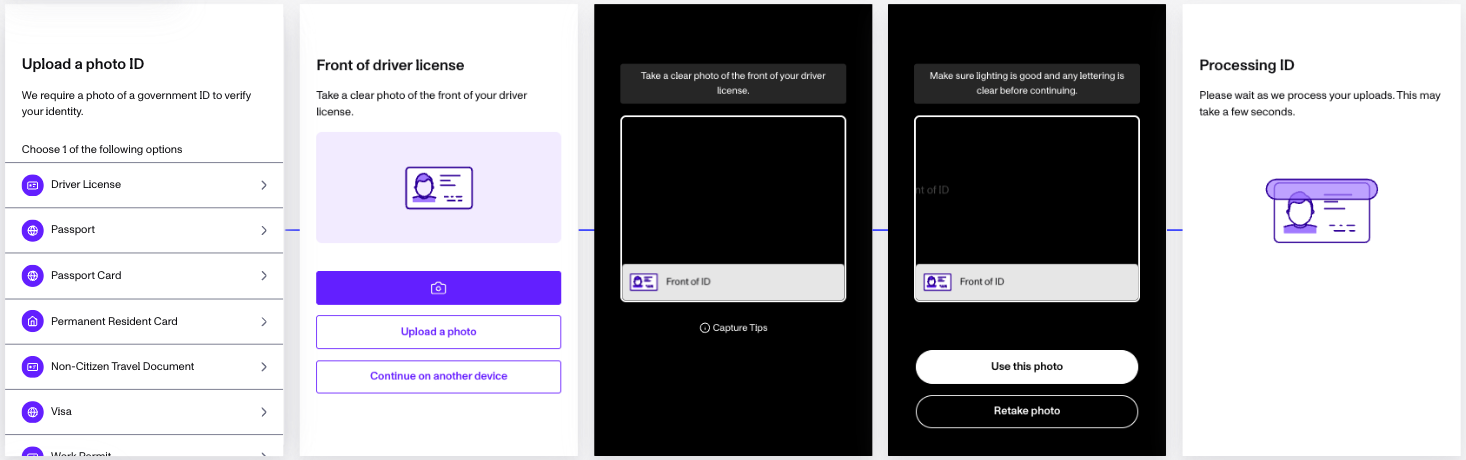
Upload a government-issued ID (like your driver’s license or passport).
-
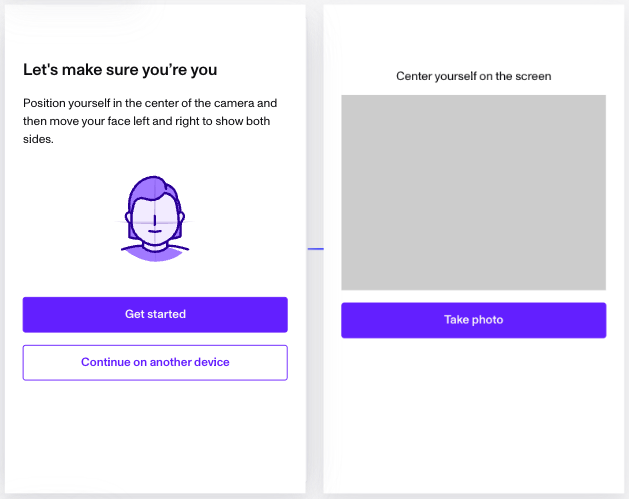
Take a selfie to confirm you’re the person on the ID.
-
(Optional) Complete more steps, for example to verify your phone number or email. This depends on the requirements of your organization.
The Persona interface gives clear instructions at each step. If you have problems, our end-user help section has troubleshooting tips.
How is my data handled?
Your privacy and security are our most important priorities:
- Data Protection: Persona is GDPR and CCPA compliant. We use the best security practices of the industry to protect your information.
- Transparency: Only the company that requested your verification can access your information. Persona does not sell your data or share it with third parties for any reason.
- How long your data is kept: The company that you verify with controls how long your data is kept. At any time, you can ask for deletion of your data through the company or through our privacy resources.
- Certifications: Persona meets strict security standards and has regular audits.
Frequently Asked Questions
What if I have trouble completing my verification?
For help with frequent problems, for example photo uploads or expired links, read our troubleshooting guide.
Who can I contact for support?
If you need help with verification, contact the organization that sent you to Persona. For general help, read our end-user resources.
How do I know this is safe?
We protect your data with industry-leading encryption and security standards. That is why trusted companies all over the world use Persona.
Need more help?
For more information about how Persona works, go to our Help Center. If you have questions about your specific verification, contact the company that requested it.
This article is for persons who complete a Persona verification flow after Okta sends them to Persona. For technical or configuration questions, read our Help Center or contact your service provider.